

Windows 7 Articles

Speed Up Windows 7 and Vista by Turning Off Glass Transparency
But still be able to use Flip 3D and Taskbar thumbnails
Remove the Desktop Cleanup Wizard from Windows 7
A good intentioned but annoying feature
The Desktop Cleanup Wizard is a utility that ships with all versions of Windows 7 and is designed to help you keep your Desktop neat and tidy. The utility does […]

Force Windows 7 to Clear Virtual Memory Pagefile at Shutdown
There are several advantages in doing this
Among the advances offered to it users, Windows 7’s handling of virtual memory is the most efficient to date. However, as the RAM in a computer increases, so must the […]
Turn Off Admin Approval Mode in Windows 7
If you want to sacrifice security for convenience
One of the most confusing aspects to using any modern version of Windows is making the distinction between the administrator account and an account with administrative privileges. Starting with Windows […]
Fix Windows 7 Update Error Code 0x80070422
Without security updates, you computer is at risk
Among the error codes users encounter in Windows 7, code 0x80070422 is fairly common. This error can occur when the startup service for Windows Update is set to anything except […]

Fix the Maximum Amount of Memory Usable by Windows 7 64-bit
If your PC is having trouble recognizing it
Your computer’s hardware and Windows 7 limit the amount of memory that your computer can use. In the case of 32-bit operating systems, that limit is 4GB of RAM. 64-bit […]
Enable Microsoft Internet Information Services (IIS) in Windows 7
Run your computer like a server
By default, a standard installation of Windows 7 does not turn on Microsoft Internet Information Services (IIS). In order to use this feature, you must turn it on using Programs […]
Turn Off the Gadgets Platform in Windows 7
Some say they're a waste of time and space
The Gadgets Platform is an application on which Windows Gadgets run on your desktop. No longer confined to the Sidebar as they were in Windows Vista, Windows 7’s gadgets roam […]
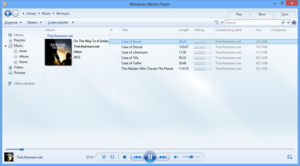
Uninstall Windows Media Player from Windows 7
No need to keep it if you don't use it
Windows Media Player is a Microsoft application capable of playing a variety of audio and video files right from within the Windows operating system. A part of Windows for a […]
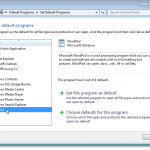
Remove File Type Associations in Windows 7
Swap out your favorite programs or apps
Each file in Windows, has an extension as part of its filename, such as .txt, .doc, etc. These extensions are used to identify the default program with which to open […]
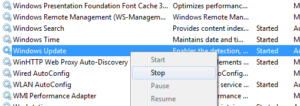
Cannot Run Windows Update on a Windows 7 PC?
A corrupted update can make Windows confused
Recently, I was working with a client and they had an issue updating their Windows 7 PC. Basically, whenever they tried to run a check for updates, they would get […]
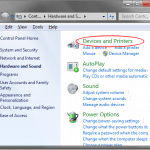
Stop Windows 7 from Automatically Installing Device Drivers
Plus replace generic icons with enhanced ones
Although Windows 7 makes some things much easier than in previous versions of the operating system, sometimes it can be an aggressive bugger when it comes to detecting, downloading, and […]
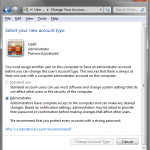
Take Control of Windows 7 Administration
Make it secure but easy to use
Windows 7 represents a step forward in security for home PCs, but administration in the operating system can be a bit confusing. Everything from the secret administrator to User Account […]
Top 10 Differences between Windows XP and Windows 7
Be prepared if you are planning to upgrade
If you skipped over Windows Vista like so many others have, you may be in for a shock when you upgrade from Windows XP to Windows 7. Microsoft’s newest operating […]
Where is the Sidebar in Windows 7?
We have good news and bad news
Some people loved it and some people hated it. Wherever you land on that spectrum, Microsoft introduced us to the Sidebar in Windows Vista. However, many users who upgraded to […]
Windows 7 Version Comparison – Home, Professional, Ultimate
We lay out the differences side by side
Trying to decide which version of Windows 7 you should get: Home Premium, Professional, or Ultimate? It basically depends on your needs and what you are going to be using […]
Easily Add Programs to Windows 7 Startup Folders
Load up programs you use most
Starting with Windows 95, Microsoft made adding programs to the startup folder as easy as navigating to the folder in Windows Explorer and dragging shortcuts or programs directly into it. […]

How to Use XP Mode in Windows 7
So you can run older applications
So far, Windows 7 has proven itself to be a good overall operating system. It has brought several needed improvements, and even some new technological features. However, Windows 7 can […]