

Have you noticed your WiFi working slower than usual? Before digging into how to boost your signal and improve WiFi performance, find out who is connected to your WiFi network.
Many devices in your house could be connected to your WiFi network, like laptops, smartphones, tablets, as well as smart bulbs, and home assistants. However, it could just be strangers logging in that’s causing your WiFi signal to lose speed.
There can be many different reasons why you’d like to know what devices are connected to your WiFi. Luckily, it’s an easy check. There are two ways you can go about this: Through your router’s web interface, or using network scanning software. For better results, try both ways and see if you find the same connected devices on the list.
See Who Is Connected To WiFi With Your Router

Your best option is to check your wireless router. You can do it in just a few minutes and don’t need to download any third-party apps to perform the check.
One thing you need before you do this is your wireless router’s IP address.
How to Find Your Router’s IP Address
In order to log into your router’s web interface, you’ll need to open a browser on any of your devices that are connected to your router. Then open a new browser tab and type your router’s IP address into the address bar.
Most routers have a default IP address of 192.168.0.1 or 192.168.1.1. If you tried typing both of them into your browser and neither of them works, you can find your router’s IP address on the backside of your wireless router.
If you’re still not sure what your router IP address is, there are a few more ways to find it. Some are more complicated than others.
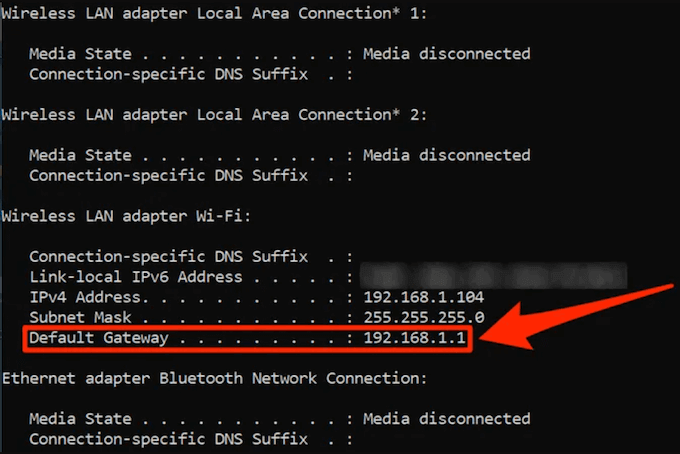
The easy way to do it on Windows is by using the Command Prompt utility. When you launch the utility, type the ipconfig command and press Enter.
From there, you’ll find your IP address under Default Gateway.
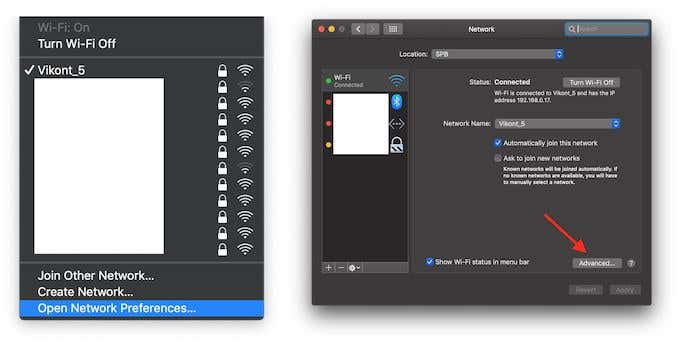
On Mac, click on the WiFi icon in the menu bar and choose Open Network Preferences.
In your Network settings, choose Wi-Fi from the left-side menu and click Advanced in the bottom-right corner of the window.
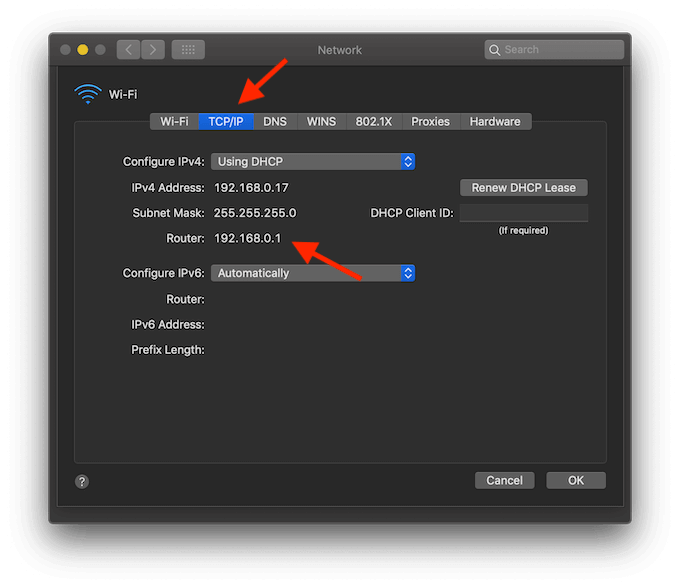
Then choose the TCP/IP tab in the next window. There you’ll find your IP address under Router.
How To See Who’s Connected To Your Wifi Network
Now that you have your IP address, open a new browser tab and type it in. This will take you to the router’s login page. Some routers will have admin and password as the default login credentials.
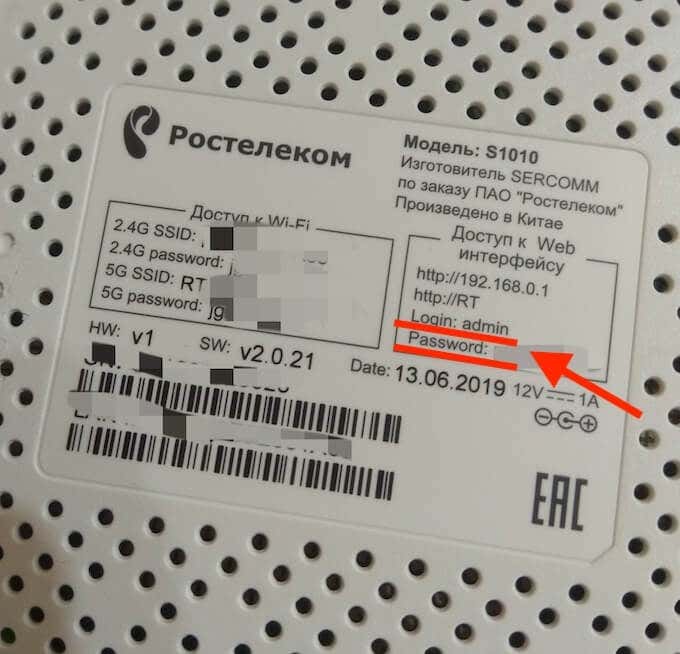
Alternatively, you can find those details on the backside of your router together with the IP address. If you have changed that previously, enter your new details to log in. If you don’t remember your username and password, you can reset the router and then use the default credentials to log in.
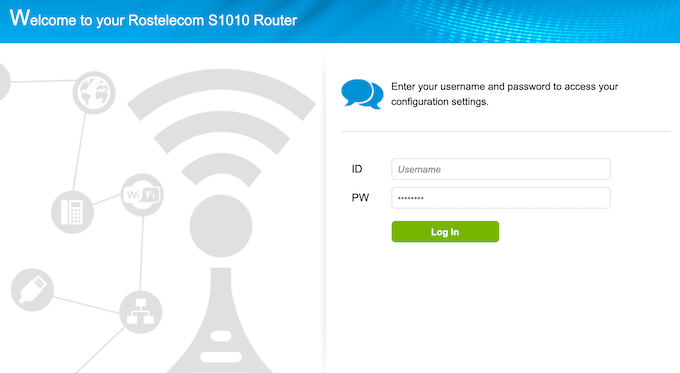
After you log in, you’ll need to navigate to the list of connected devices. Depending on your router, this information could be located in different places.
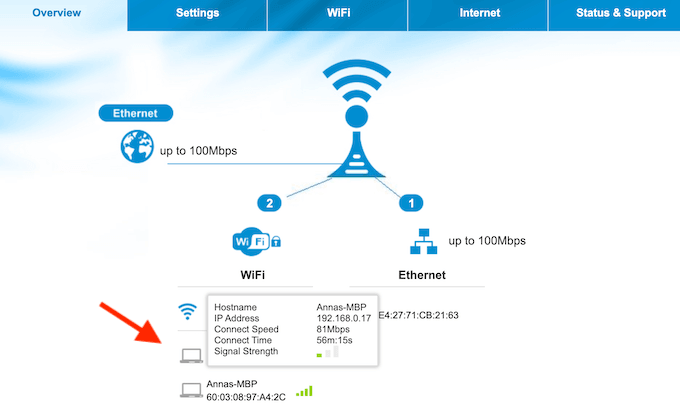
Some routers will have all the devices listed on the main page under WiFi.
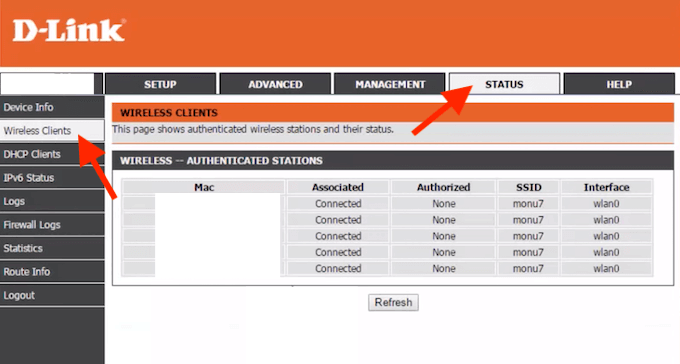
On D-Link routers, you have to go to Status tab and find Wireless Clients to get the list of the devices.
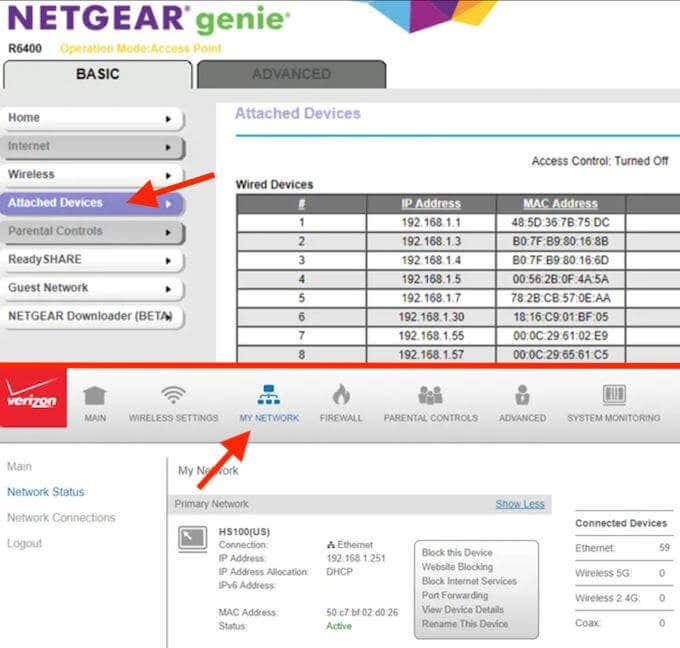
On Verizon routers the section you need is called My Network. While on Netgear, you need to look for Attached Devices.
No matter what router you’re using, the list of connected devices normally offer the same information. You’ll see some sort of table that includes the hostname and MAC address for every device on the list.
When you see a device you don’t recognise, your first intention will probably be to boot it off your network. However, before you do that, make sure to check whether it’s actually a stranger feeding off your WiFi, or one of your devices that you simply didn’t recognize. A good way to do this is to compare the device’s MAC address from the list to the MAC addresses of the devices you own that could be connected to your wireless network.
Use a Network Scanner To See Who’s Using Your WiFi
Using your router’s web interface is the ideal way of checking who’s connected to your WiFi. However, there are other methods you can use. If your router doesn’t offer an option to see the list via its web interface, you can download software to your computer that will scan the WiFi network you’re using and list the connected devices.
There are quite a few different network scanners out there that you can use. To name a few tools that have proven its worth, we recommend LanScan for Mac, SoftPerfect for Windows and Mac, and Angry IP Scanner for Windows, Mac, and Linux.
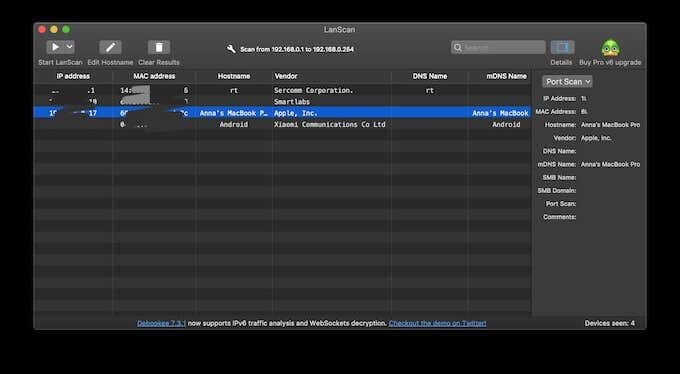
The only downside is that these apps will only list active devices – the ones that are currently online. That means you won’t see any devices that are currently offline on the list.
Secure Your WiFi Network
In a situation where you need to give someone access to your local network, there’s a safe way to do that. At the same time, if you’re worried about someone hijacking your WiFi, it’s time to secure your network. Doing this will keep anyone from using your internet connection to perform malicious acts. It’ll also give you peace of mind.
Have you ever checked who’s been using your WiFi? What tools did you use to do that? Share your experience with us in the comments below.
