 selma citakovic · October 28, 2025 · 5 min read
Microsoft’s most recent efforts are focused on Copilot and integrating AI into the everyday user experience. The new features in the Windows 11 October 2025 update follow this trend. AI actions, Gaming Copilot, and specific enhancements for Copilot+ PCs are proof enough.
Still, the update also introduced numerous other accessibility and general ease-of-use improvements. Let’s have a look at some of the most vital ones.
13 New Features in Windows 11 October 2025 Update
First, we’ll cover the AI additions and then move on to the other ones:
1. AI Actions in File Explorer
You can now summarize documents or edit images with the new AI actions. You can find the option in the context menu by right-clicking.
What’s more, you can enhance image files (.jpg, .jpeg, and .png) by:
- Removing and blurring backgrounds
- Erasing objects via Generative Erase in Photos
- Using Bing Visual Search to search the web with images.
Additionally, you can summarize documents in OneDrive and SharePoint with Copilot AI. You’ll need an active subscription to Microsoft 365 for that.
2. Gaming Copilot (Beta)
The Gaming Copilot is designed to be your helpful gaming partner. Basically, if you’re stuck in a level or can’t get past a tough enemy, you can ask the AI for help and directly communicate via Voice Mode.
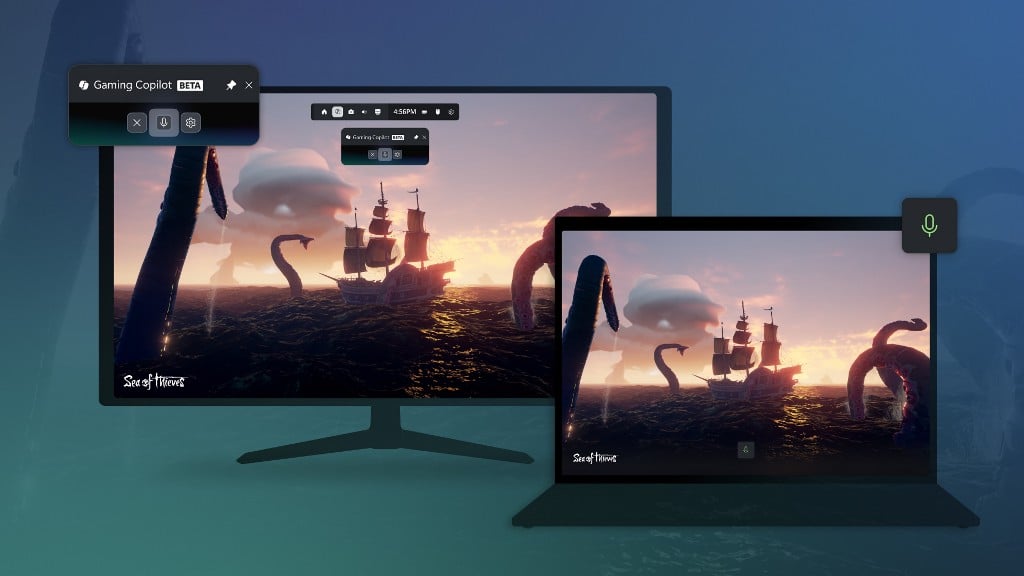
To use this feature, you’ll need to install the Xbox PC app first. You’ll then find Gaming Copilot in your Game Bar.
3. Copilot+ PC
These features are unique to Copilot+ PC devices:
- Click to Do – You can now see popular action tags in the context menu and get better summaries via Summarize. There will also be an interactive tutorial for first-time users.
- Recall homepage – You can enjoy a more personalized experience. Your most recent files and top-used apps are now highlighted on the homepage.
- Natural language commanding in Voice access – You no longer have to use the exact voice commands to execute them. You can speak naturally, with fillers, and phrase the commands as questions.
4. Wi-Fi 7 Support
Windows 11 supports the latest and fastest Wi-Fi generation. Compared to Wi-Fi 6, it offers improved latency, better stability, and network capacity. It’s also 4x faster than the previous generation.
Moreover, you’ll need a router and a wireless network adapter that supports this technology to use it.
5. Improved Kernel Security
Microsoft has made a definite shift to Rust in programming. It’s a language known for its performance, reliability, and memory safety. So, it’s good news that with the latest update, parts of the Kernel have been rewritten in Rust.
This change is meant to combat memory corruption vulnerabilities and open the way to writing Windows drivers in Rust.
6. Widgets
The Widgets dashboard now features a more organized and personalized layout. You can customize your feed in the Personalization settings.
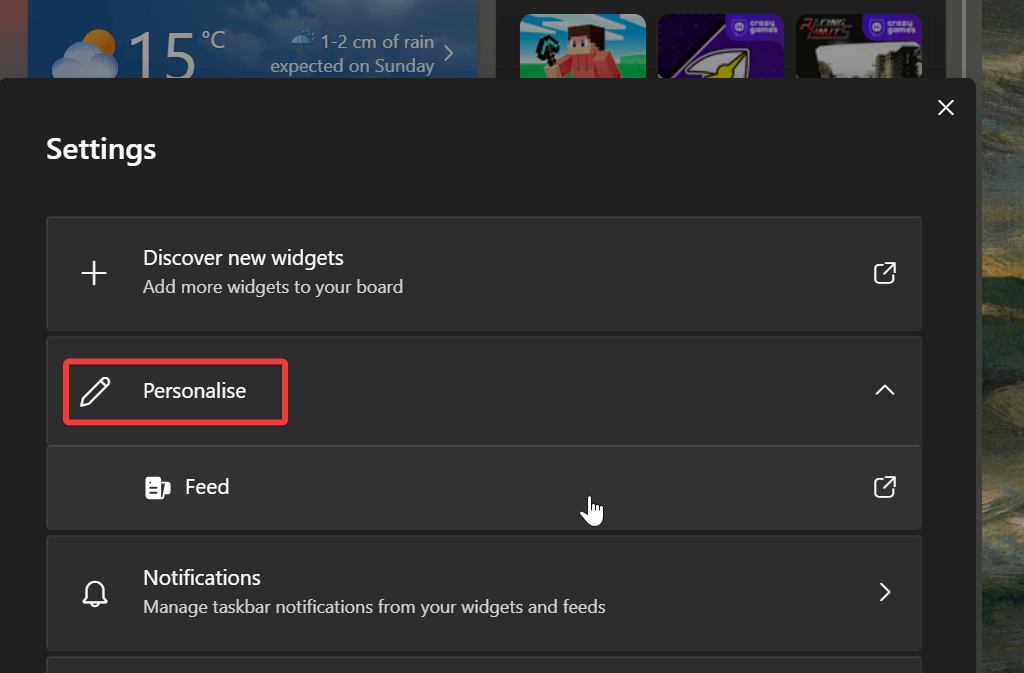
Additionally, you have the option to create multiple dashboards for your widget board. Moreover, you can add, remove, and rearrange lock screen widgets in your Lock screen Settings.
7. Windows Hello Screen Rehaul
The Windows Hello screen has received a visual update. You can sign in automatically with the best credentials for the situation. This will make logins much more convenient.
Furthermore, signing in with passkeys is more streamlined and quicker than ever.
8. Passkey Manager Integration
You can now integrate your favorite passkey manager with Windows. You can do so in Settings > Accounts > Passkeys > Advanced options.
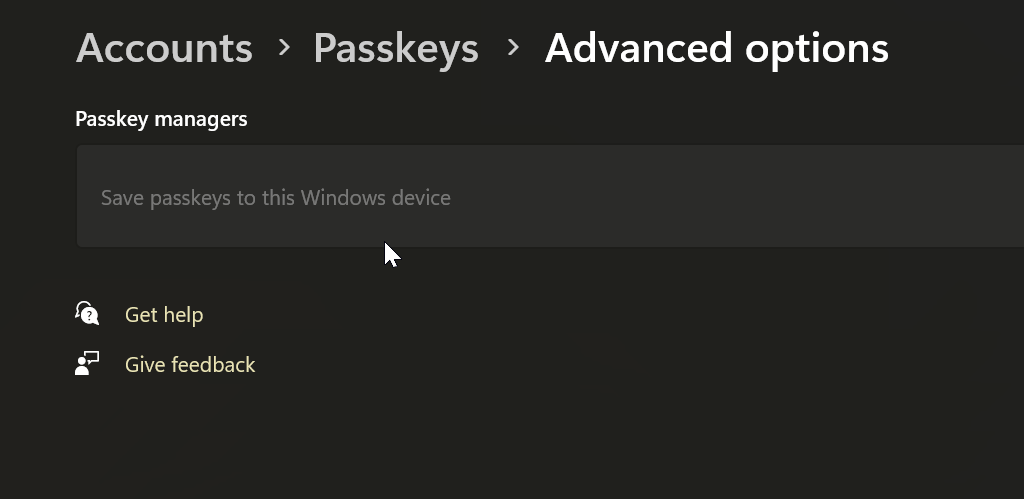
To set this up, you’ll need to first complete user verification on Windows Hello. Once you do, you can add more passkeys or use the existing ones with ease.
9. Narrator
Braille viewer is the most recent addition to Narrator. It displays on-screen text and Braille simultaneously. To use it, press the Windows key + Ctrl + Enter, then Narrator key + Alt + B.
In addition, Windows enhanced the user experience in Word. It improved voice feedback and navigation for lists, tables, and footnotes.
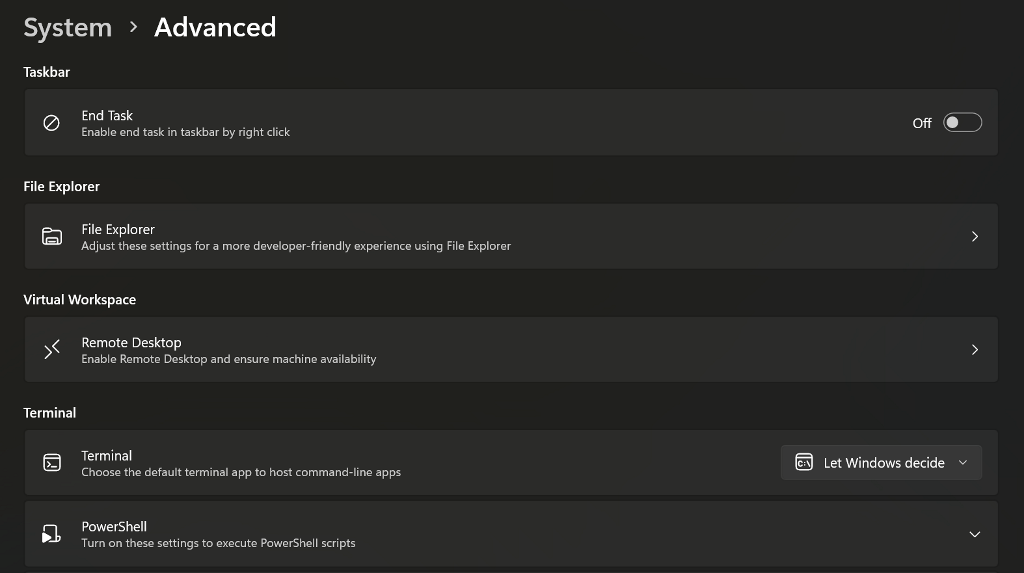
10. Redesigned Advanced Settings Page
This is an updated version of the For Developers page. You can find it in Settings > System > Advanced. On this page, you can also fine-tune options for File Explorer, Virtual Workspace, Terminal, Dev Drive, and more.
11. Microsoft Edit
This command-line text editor allows you to edit files in the terminal. It’s open-source, lightweight, and modeless to accommodate new users. To open Microsoft Edit, enter edit in the command line or run edit <your-file-name>.
12. User-friendly Improvements
The October Windows 11 update has also introduced smaller tweaks and improvements, such as:
- The larger clock with seconds in the notification center
- Dividers for the File Explorer context menu icons
- Free mobility for volume, brightness, and airplane mode indicators on the desktop
- New keyboard shortcuts for en and em dashes
- Moving time, language, and keyboard settings from Control Panel to Settings.
13. Minor App Updates (Paint and Snipping Tool)
Finally, Paint and Snipping Tool have some new additions. You can now create project files in Paint, and even control the opacity levels for the brush and pencil tools.
Meanwhile, Snipping Tool now supports Quick markup. This option lets you immediately annotate and edit your screenshots, before you even save them.
Conclusion
So, now you know all about the exciting new features in the Windows 11 October 2025 update. It’s a wide selection of tweaks and upgrades, ranging from AI-focused to security ones.
Some may not be available immediately due to update rollouts and timing, but you’ll get them eventually. Which features are you looking forward to the most?
Related Posts
- How to Fix App Notifications in Windows?
- Using an Old Device? 5 Account Security Settings You Should Enable
- How to Find Features Moved from Control Panel to Settings in Windows 11?
- How to Back Up Your Android Downloads Automatically?
- Camera Not Working in Zoom or Teams? Quick Fixes for Windows and macOS

Selma is a tech fan and writer at Help Desk Geek with a focus on cybersecurity, gaming, and all things Windows. She’s certified by IBM in hardware and operating systems, and cybersecurity essentials. She also has keen troubleshooting instincts – if you have a problem, she’ll help you solve it. Read selma’s Full Bio

