

I’ve written a fair amount of code in my IT career and released a good number of Windows programs also, so a good tool to create Windows installer packages was always key. Each program would have a different set of needs, such as scripts, DLLs, security settings, etc., so one tool that could handle a complex set of requirements was necessary.
If you have the money or need tons of support, you can always go with InstallShield, the solid choice for many companies using Windows. We always used InstallShield in our early days as it came packaged with Visual Studio and Visual Foxpro.
However, it is not the only good software out there for creating Windows installers. In this article, I’m going to mention a couple of other free and paid (though much cheaper) utilities you can try out in your organization.
Nullsoft Scriptable Install System (NSIS)
If you love open source software, you may want to check out the Nullsoft Scriptable Install System (NSIS). NSIS is a professional system that you can use to create everything from very simple to very complex Windows installers. It’s small, yet has a large feature set, which makes it suitable for Internet distribution.
As you can tell by the name, NSIS is script-based, which allows you to create logic as complicated as you need to handle any situation. Luckily, for beginners, it also includes a bunch of plug-ins and pre-defined scripts to get you started.
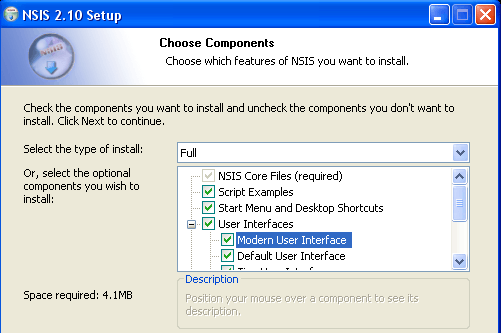
Here is a short list of some of my favorite features of this MSI package creator:
- Ability to create Windows installers that can install, uninstall, set system settings, extract files, and more.
- NSIS has an overhead of only 34KB! It is by far the smallest Windows installer compared to InstallShield and Wise.
- One installer that is compatible with all major version of Windows from Windows 95 to Windows 10.
- Three compression methods (ZLib, BZip2, LZMA) to ensure the greatest compression for your installer packages.
- Script based installer is better than other programs that just generate a list of files and registry keys. Using the script language, you can perform many different installation tasks like upgrades, version checks, system reboots, modification of environment variables, access to Windows API and more.
- Create custom dialogs and interfaces to include user input, configuration options, and even a custom wizard interface.
- Extend the capabilities of NSIS with plug-ins that can communicate with the installer.
- Support for web installation and file patching across the Internet.
The program supports a tons of other features including installer self-verification using checksum, list and tree for component selection, silent mode for automated installations, full code editor for writing scripts, etc.
Advanced Installer
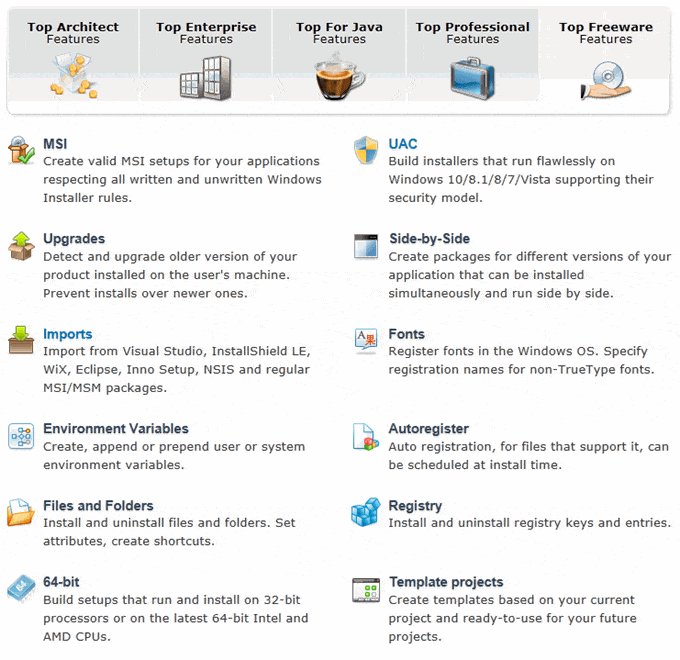
Advanced Installer also has a free version, but it also has several other versions that go up in price depending on how complex your installer needs to be. It’s updated very often and works extremely well.
If you’re looking for something more professional that also includes some options for support, then Advanced Installer is a good choice. If you want a feature breakdown between the five different versions they have, then check out the link. The free version actually has a lot of features and we were able to use that in our company for a long time because our installers were fairly simple.
One unique feature to Advanced Installer is Installer Analytics. It’s basically a set of tools to see how users install, use and uninstall your applications. You can easily see how large your user base is, load a survey when a user uninstalls the program, and get information about the user’s system and geographic location. All of this on a sleek and modern web interface that you can test yourself.
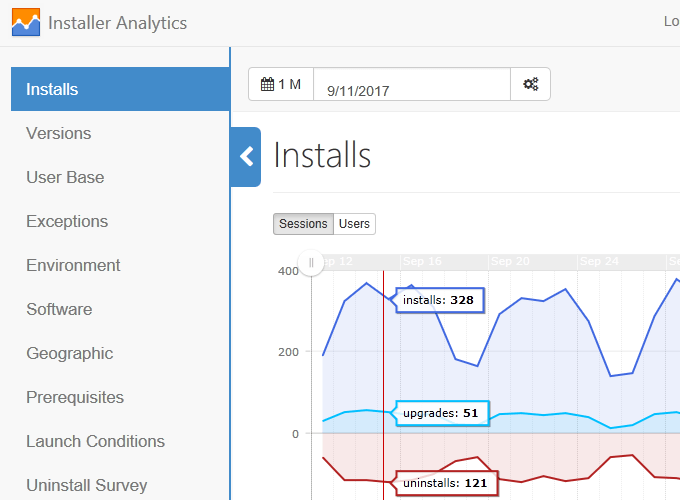
It also lets you easily repackage your applications into the new AppX format, which is required for the Universal Windows Platform. It doesn’t require any code changes and they have a free AppX converter tool. Those are just some of the unique features, but Advanced Installer pretty much covers all the bases. Check out the full list of features here for each edition.
Inno Setup
Inno Setup is an advanced Windows installer that is completely free and that has been around since 1997. It’s got a ton of features and works great for small businesses with moderately complex requirements.
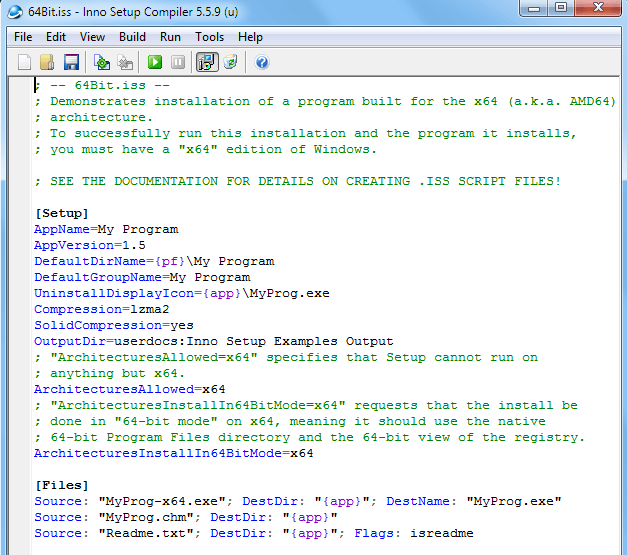
Here is a list of some of the best features of Inno Setup:
- Supports all versions of Windows from Windows 2000 up to Windows 10
- Supports installation of 64-bit applications on 64-bit Windows
- Supports the creation of a single EXE file for easy file distribution
- Customizable setup types and full support for application uninstalls
- Creation of shortcuts, registry entries and INI files
- Supports silent installs and Pascal scripting engine for more advanced installs
- Third party extensions that enhance the features of Inno setup
Overall, this is a really good option since it’s completely free and very easy to use. It’s not going to be able to do what InstallShield or even Advanced Installer can do, but it covers pretty much all of the basics.
WIX Toolset
The WIX Toolset is a free set of tools for creating Windows installers that works with Visual Studio 2012 or higher. I mention it last because it requires the biggest learning curve. You can create some very complex installers with it, but you’ll be coding quite a bit and using a command line often.
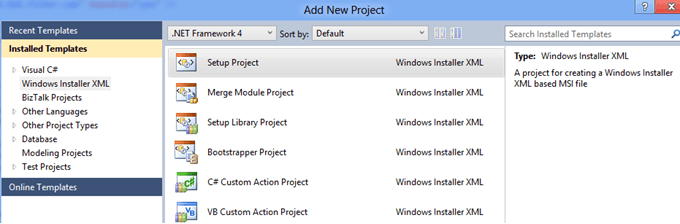
WIX Toolset is based on the XML authoring model. If you don’t have Visual Studio, you can use the Wix tools or MSBuild. It supports building MSI, MSP, MSM, and MST installer files. It also supports a large number of Windows Installer features.
So those are some of the better known and stable programs you can use to create Windows installers. I’m sure there are many others out there, so feel free to let us know which one you use in the comments. Enjoy!

