
Even though traditional hard drives have gotten cheaper over the years, a lot of people still have primary drives that are 500 GB or less in size. Why? Well, mostly because newer computers come with solid states drives (SSDs) and the larger sizes are just too expensive.
If you’re getting a low disk space warning in Windows, there are a couple of things you can do to get some free space back. The first thing, however, is to actually find out how much space the operating system and your data/programs are taking up on the system. Once you know that, you can decide what to remove, delete, etc.

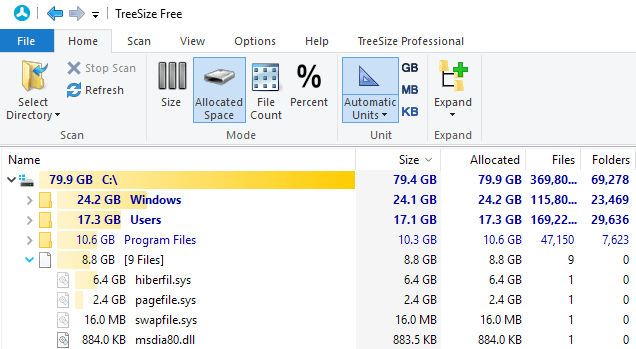
The best tool for I’ve been using for years is TreeSize free. It’s a small program that you don’t even have to install and it quickly tells you exactly what files and folders are taking up the most space on your computer.
As you can see, the biggest directory on my computer is Windows. This may or may not be the case for you also. If it is, the only safe way to reduce the size of the Windows older is to use disk cleanup. If you have a large Windows.old folder, make sure to read my post on how to remove it using Disk Cleanup.
If you find there is a large drivers folder under the Windows directory and it happens to have a lot of files related to your graphics card (Nvidia, AMD), then you should run the Display Driver Uninstaller tool, which saved me many GBs in space. For some reason, NVidia and the like keep previous versions of the drivers when you upgrade the old versions, which can add up to a lot of space.
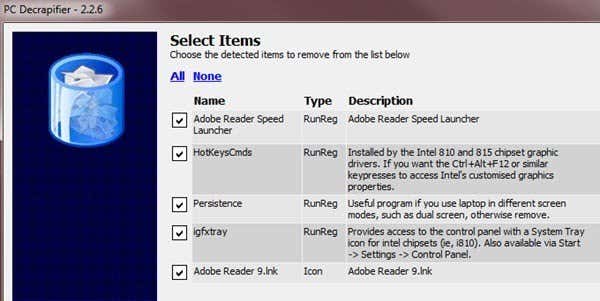
The next largest folder will probably be either Program Files or the Users folder. If Program Files is very large, expand it and see if there are any programs that you no longer need and can uninstall. I’ve also written an article about a program that can help you uninstall all the junk software that comes with new PCs.
In terms of individual files on a PC, the largest one for me was hiberfil.sys. This is the file used for hibernation, however, if you don’t use hibernation, then you can remove this file and save several GBs worth of space. Read my previous article on how to delete the hibernation file easily.
Under the Users folder, it’ll be easier to remove any personal items that are taking up a large amount of space like photos, videos, etc. However, you may also find that the AppData/Local folder is quite large. This is a hidden system folder that is used by various programs to store temporary and app data.
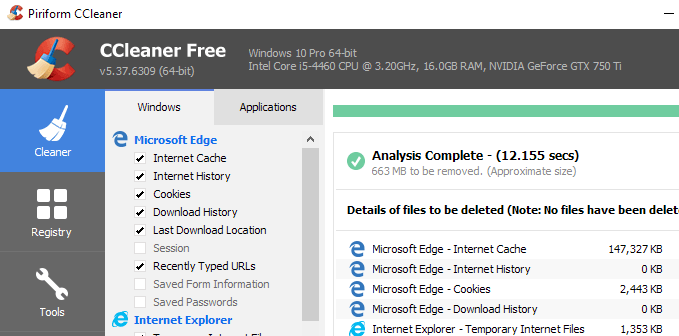
The best way to shrink the size of this folder is to use a tool like CCleaner. You don’t want to manually go in and delete stuff from there as it can cause problems with your programs and with the OS.
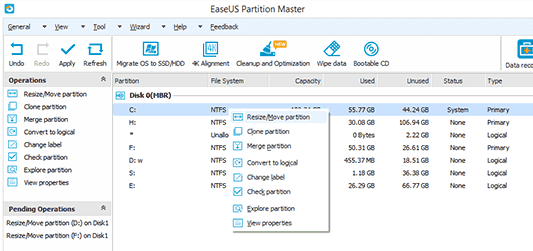
Another issue that can come up is if your C drive partition is very small to start off with. Maybe you have a 500GB disk, but for some reason, the system partition (C) is only 30 GB in size. In these types of cases, you can actually expand the size of the partition if you have free space on the extended partition.
The best way to do this is to use a free tool like Easeus Free Partition Manager. They have all kinds of ways to try and get you to purchase the upgraded version, but the free version should work for most people.
There aren’t really a lot of other ways to free up space on a hard drive other than replacing it with a bigger one, but hopefully some of the above tips will give you some breathing room till then. Enjoy!
