 Aseem Kishore · November 7, 2017 · 4 min read
 Ever had to find some text inside a bunch of different text files? If you’re in IT, this issue can come up quite often. Maybe you are looking for a particular phrase in log files or maybe you are a programmer and need to find some code that is inside many different code files.
Unfortunately, there isn’t any easy way to do this in Windows. The default Windows search is terrible for this kind of task because it’s super slow and doesn’t allow for advanced searches. Luckily, there are several other ways that are far superior to Windows search, which I will mention in this post. I won’t go into great detail about each solution, but you can use Google to learn more.
If you don’t want to install any third-party software and you are comfortable with the command line, then you should check out the built-in search commands section below. I’m assuming most people are more comfortable with GUI interfaces, so that’s why I mention the programs first.
Third-Party Search Programs
When it comes to searching multiple text files, the king of all search commands is grep. grep is a command line utility in UNIX/Linux that allows you to perform advanced searches using regular expressions. It’s super popular and used in every distribution of Linux.
So when someone writes a program for searching on Windows, inevitably, it has the word grep in it. That’s pretty much the case with all the programs listed below.
grepWin
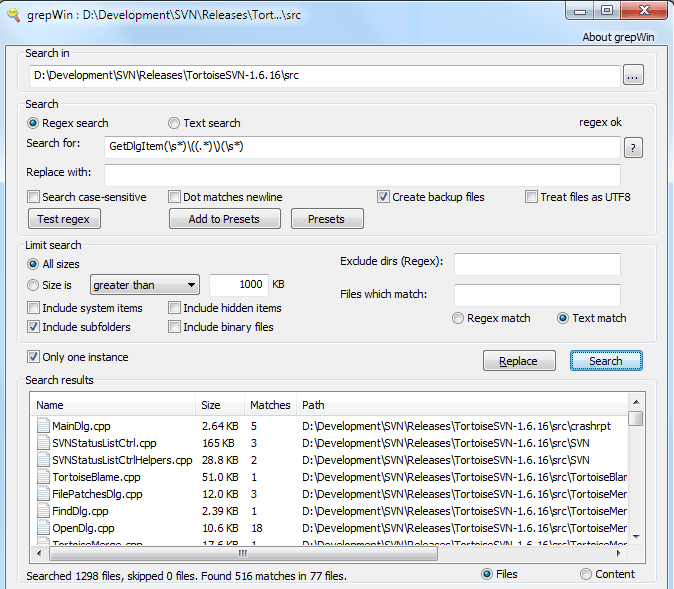
grepWin is probably the most popular out of the tools mentioned here. It supports regular expressions and allows you to find and replace text also. They also have a tutorial on their website to help with regular expressions, though you can Google for many more.
You can limit the search by file size, file type and other criteria. It also adds an option to the right-click context menu in Explorer to quickly search a folder. The results are listed in the bottom window and you can just double-click on them to open the files.
AstroGrep
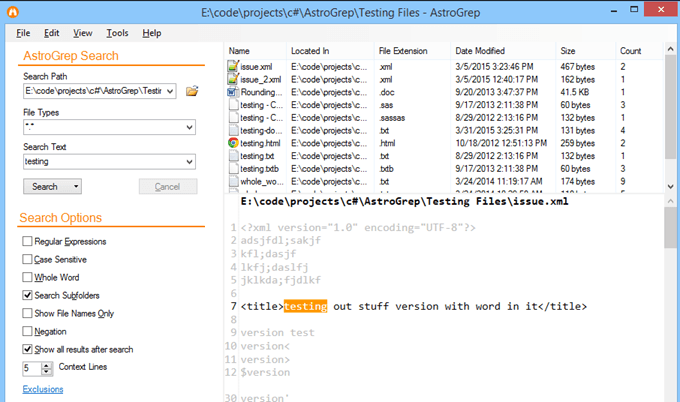
AstroGrep is also another really good search program. Not only does it get updated quite often, it also shows you where in the file the text was found. grepWin also has that option if you choose the Content radio button, but I think it’s implemented better in AstroGrep.
AstroGrep can also search Word files, which is a handy feature. You can also save or print out all of the results for future reference. I also find their interface to be more modern and pleasing to the eye.
BareGrep
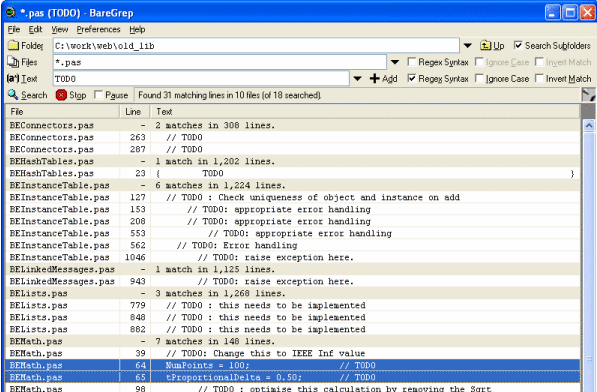
BareGrep is a fairly simple search program that supports regular expressions and all the basic search functions. It’s pretty fast overall and shows you matches in a tabular format. The free version has a splash screen that you can’t disable. The pro version costs $25 and seems to just disable the splash screen, otherwise the features are the same.
PowerGREP

If you are looking for the ultimate search program, then look for further than PowerGREP. This program has some serious features and a serious price tag to go along with it. It’s a whopping $159! It’s pretty much got all the features mentioned above, plus some more, and all packaged nicely into a pretty little interface.
I only recommend this program if you have some serious search needs that include finding text in Word files, PDF documents, Excel spreadsheets, etc. It can even extract statistics from your log files and give that information to you. It’s quite a powerful tool.
Built-in Windows Commands
If you only need to perform a quick search and don’t want to install a full-fledged program, you can use the built-in command line tools in Windows. One runs in the normal command prompt and the other uses PowerShell. Both are quite powerful and can find pretty much anything you are looking for.
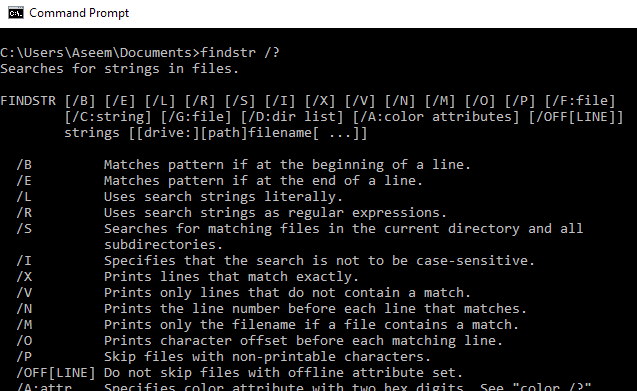
The first command is findstr. You can read the reference document here to learn how to use findstr. You can also type findstr /? at the command prompt and it’ll show you the usage. As you can see, there are quite a few options. Obviously, this is a lot more complicated than using one of the programs above.
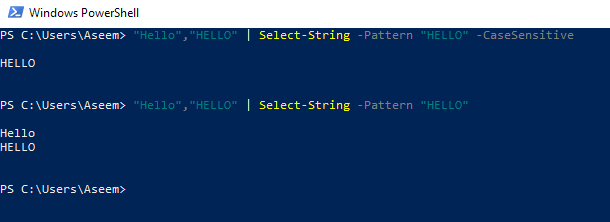
The second option is the Select-String command in Windows PowerShell. Again, there is a pretty big learning curve with these commands if you haven’t already used them. Microsoft has a good tutorial on how to use Select-String, so make sure to read that.
So, those are basically the best ways to go about searching for text in a large number of files. I suggest you try out the different options and see which one works best for you. Enjoy!
Related Posts
- How to Repair a Corrupted User Profile in Windows 11
- Preparing for Windows 10 End of Support: Upgrading to Windows 11
- How to Access and Change Your WiFi Router Settings (2025 Edition)
- How to Install the Latest Large Language Models (LLMs) Locally on Your Mac
- How to Find Circular References in Microsoft Excel
