 Aseem Kishore · June 22, 2008 · 2 min read
 Yesterday I setup a testing network using VMware server. I started by installing VMware server and as I realized that VMware uses the credentials from your Windows machine to login to the console. However, if you are using any other account other than the built-in Administrator account, you will likely have problems logging in to the VMware console. You will get the following error:
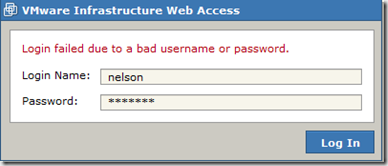
So, in order to login successfully, you will need to use the built-in Administrator account on Windows XP. If you are using Windows Vista, you will need to enable the administrator account there as well. This account needs to be setup with a password also.
Enable Administrator Account
To enable the administrator account on Windows Vista do the following:
First you’ll need to open a command prompt in administrator mode by right-clicking and choosing “Run as administrator“. Now type the following command:
net user administrator /active:yes
Now if you go to control panel you should see the Administrator account as well:

Click on the Administrator icon and choose to create a password:
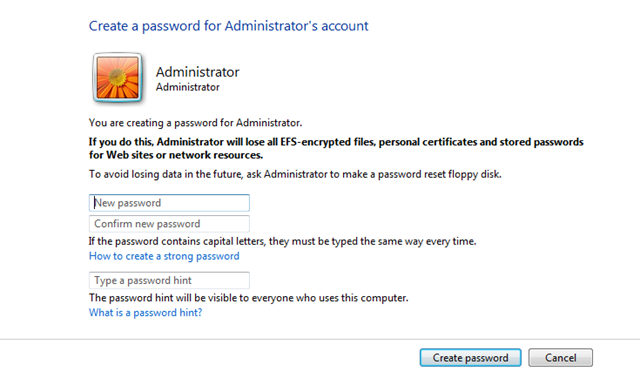
Click on the Create password button after which you can try to log into VMware infrastructure web access again, now using these new credentials. It should work.
On Windows XP, the Administrator account is enable by default, so you only will need to setup a password for it.
Let me know if you have issues with the login process and we can help you with troubleshooting. Also, be sure to check out my newer posts on how to setup and install VMware ESXi, which is what replaced VMware Server back in 2011.
Related Posts

Founder of Help Desk Geek and managing editor. He began blogging in 2007 and quit his job in 2010 to blog full-time. He has over 15 years of industry experience in IT and holds several technical certifications. Read Aseem’s Full Bio

