
Whenever you have internet problems, the cause could be a multitude of things. However, sometimes, the fix is a simple release and renew of your IP address.
What does it mean to release and renew your IP address? In this article, you’ll learn how this process works, and how you can do it on Windows 10.
Why Release & Renew An IP Address?
When your home router connects to the internet, your Internet Service Provider (ISP) assigns an IP address to your router. This is the only device in your house that receives an IP address directly from your ISP. It’s also what’s known as your “public IP address”.
Your router then assigns IP addresses to individual devices inside the home network, on its own sub-network. These usually follow a standard convention, like 192.168.0.X. The X is assigned randomly, from 1 for the router itself, up to 255.
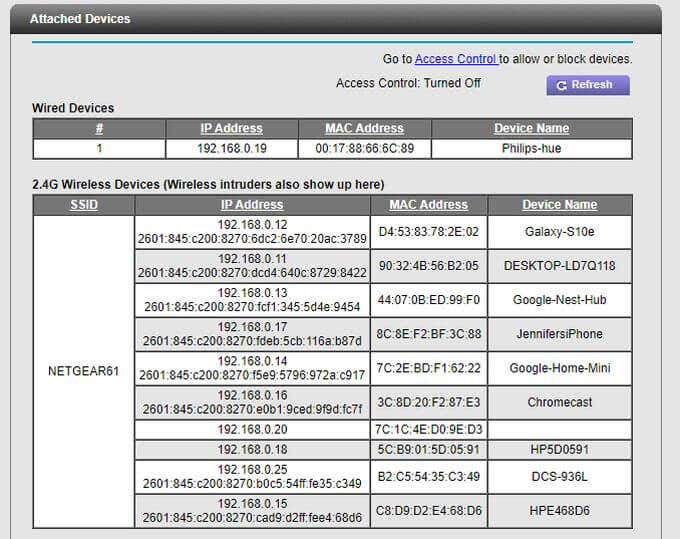
Every device has the ability to release and renew its assigned IP address.
- You can have your router release its assigned IP address and get a new one from the ISP.
- You can have devices on your network release their assigned IP address and get a new one from the router.
The release and renew of an IP address is triggered at the device itself, and the network management device (the router or the ISP) automatically assigns a new one.
Why would anyone need to do this? There are several reasons.
- Reconfiguring a router sometimes breaks the internet connection of some connected devices and renewing the IP address on those devices will fix the issue.
- General internet connection issues on any computer can often be fixed by renewing the IP address.
- If a website or forum has blocked your router’s internet IP address, renewing your router’s IP address will get around that block.
- Releasing and renewing your computer’s IP address can resolve a lot of general minor glitches and issues.
Release & Renew IP Address On a Router
Keep in mind that when you tell your router to release its IP address, it loses its connection to the internet. And since the router “routes” this internet connection to all devices connected to it, all of those devices will lose their connection to the internet too.
To do this:
- Log into your router as an administrator, using the admin account and password.
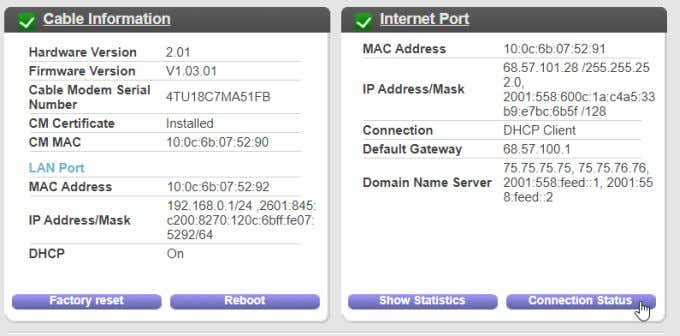
- Every router has its own menu system. Find the area that shows the Internet connection status. For example in the Netgear router, select Advanced and then select Connection Status under Internet Port.
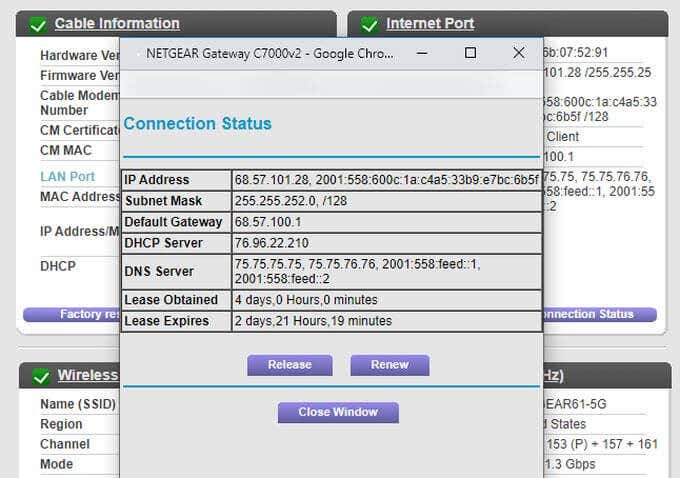
- This will open a window showing the current status of the router’s internet connection.
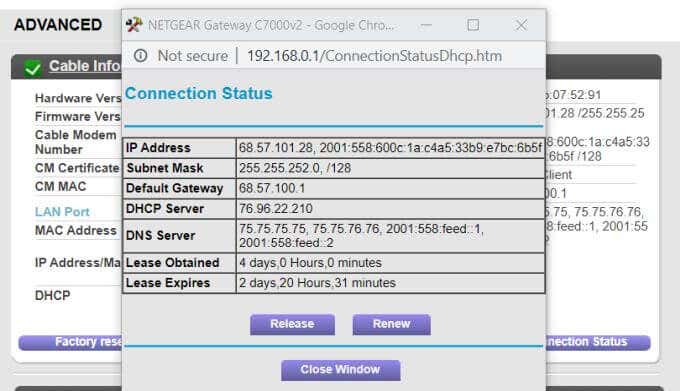
- At the bottom of this window you’ll see the Release and Renew buttons. First, select Release to release the router’s current IP address back to the ISP. At this point, the router will no longer have an active internet connection.
- Select the Renew button to obtain a new IP address for the router from the ISP. You’ll see a new IP Address appear in the window. Once you see this, it means your router is connected to the internet again.
In other router models, you may need to look in the WAN or Internet menus to find the internet connection status where you’ll see the Release and Renew buttons.
If you can’t find them, check the router’s manual or website for more information.
Keep in mind that if renewing your router’s IP address doesn’t work, another option is to reset your wireless router back to factory default settings.
Release & Renew IP Address On Windows
Whether you’re using Windows XP, 7, 8, or 10, the process to release or renew an IP address is the same.
- Launch the command prompt.
- In the command prompt, type ipconfig/release.
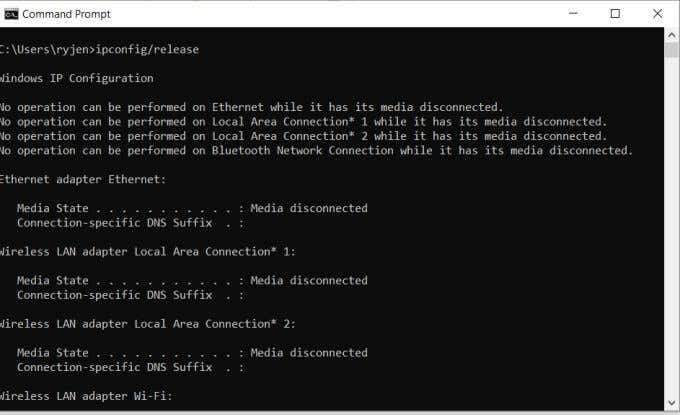
- You’ll see a list of messages showing a disconnected status. This is normal and it means your network adapter has lost its connection to the network.
- Still in the command prompt, type ipconfig/renew.
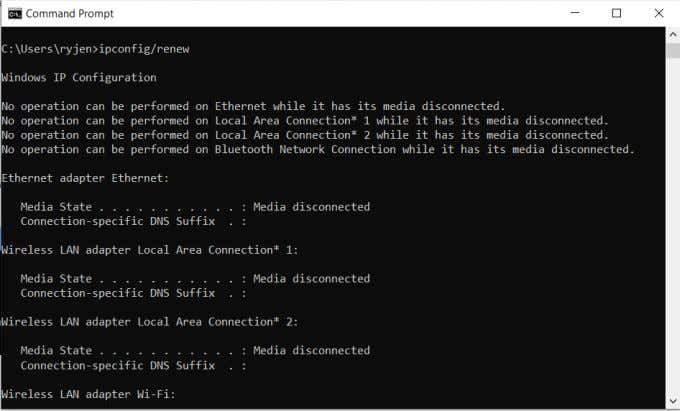
This will cause your network adapter to reach out to the router and request a new IP address. The router will respond by assigning an IP address to your computer.
Scroll down to the bottom of the message and you should see that your network adapter now has a new IP address assigned to it.
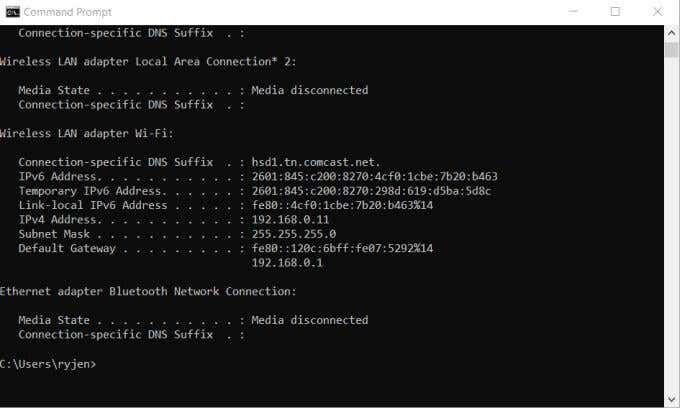
Now that your computer has a new IP address, you can reconnect to the internet with your browser and browse the web as normal. If the internet isn’t working yet, you may need to restart your computer.
Release & Renew IP Address On Mac
You can also release and renew your IP address on MacOS but instead of using the command prompt you can do this in the TCP/IP settings.
To do this:
- Select the Apple button and select System Preferences.
- Select the Network icon under Internet and Network.
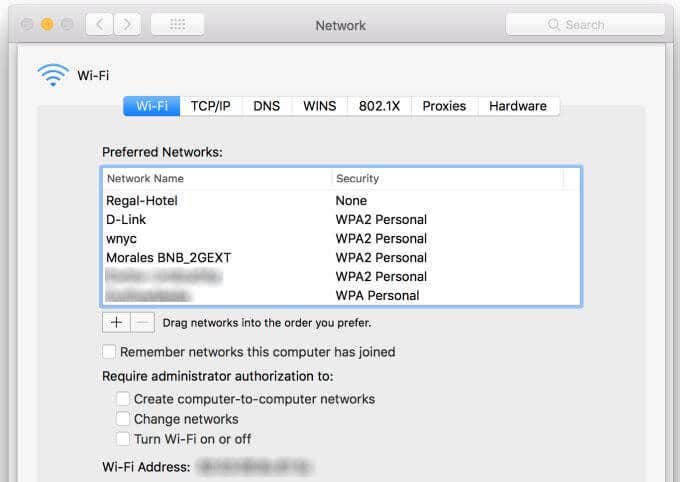
- Select the TCP/IP tab in the Network window.
- On the right side of the window, you’ll see a Renew DHCP Lease button. Select it.
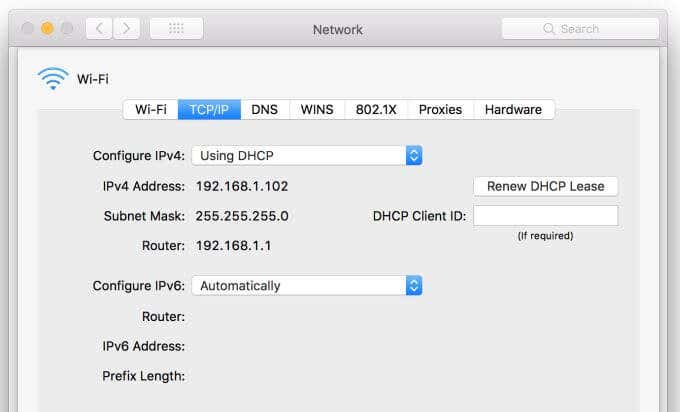
This will release and renew your IP address in one step. Select OK to exit the Network window. Exit the System Preferences window as well.
You may need to restart your Mac to finish the release and renew process.
Release & Renew IP Address On Mobile
Getting a new IP address on your Android isn’t quite as straightforward. You need to force your phone to “forget” the current Wi-Fi network it’s connected to. Once you do this, it’ll release its current connection (and IP address). The next time you connect it’ll receive a new one.
To do this on Android:
- Go into your Android Settings screen.
- Tap Connections.
- Tap Wi-Fi.
- Select the Gear icon to the right of the Wi-Fi network with the Connected status.
- At the bottom of the screen, tap the Forget trash can icon.
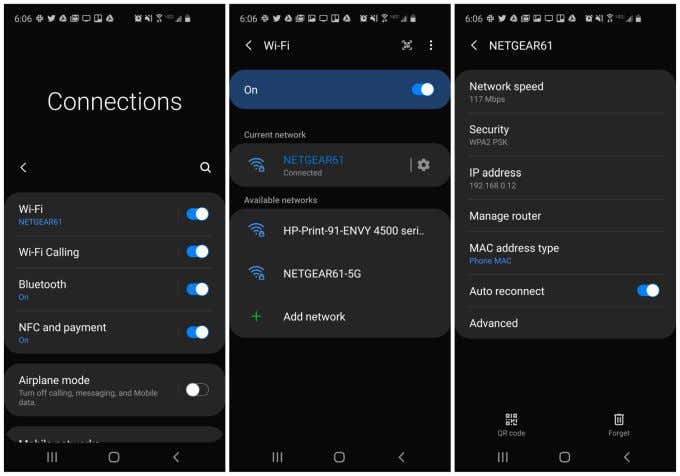
This will drop the Wi-Fi connection with your router. When you reconnect by re-adding the Wi-Fi network and logging in with your Wi-Fi network login credentials, your Android will receive a new IP address.
To release and renew an IP address on an iPhone, the process is even easier.
- Launch the Settings app.
- Tap Wi-Fi.
- Tap the i icon on the right side of the Wi-Fi network you’re currently connected to.
- Tap Renew Lease. Tap Renew Release again in the pop-up window.
This will release and then renew the IP address for your iPhone on your Wi-Fi network.
As you can see it’s very easy to refresh the IP address your computer or mobile device has on your Wi-Fi network. It’s often the first thing you should try whenever you’re having network or internet connectivity issues.
