 Sydney Butler · February 11, 2021 · 7 min read
 Windows comes packed with several useful network utilities. These programs can get you critical information about your network connection and help diagnose problems. There are four TCP/IP network utilities that every Windows user should know about:
- Netstat
- Tracert
- IPconfig
- NSlookup
Let’s see what these utilities do and how they’re commonly used.

A Refresher on TCP/IP
All four utilities are TCP/IP network programs. What does that mean?
TCP/IP is short for Transmission Control Protocol Internet Protocol. A protocol is a set of rules and specifications that determine how a process works.
For example, at work it might be protocol to first make an appointment with your boss’ personal assistant instead of barging into their office at random times of day. Similarly, TCP/IP describes how the various devices connected to each other on the internet can communicate in an orderly fashion.
Learning to Love the Command Line
While 99% of computer interfaces these days are graphical, there will always be a need for text-based command line tools. For the most part, these TCP/IP utilities work through the command line. That means you need to type in the name of the utility and the action you want it to take.
In Windows this has always been achieved through the Command Prompt, but that’s being phased out. The preferred command line interface today is Windows PowerShell.
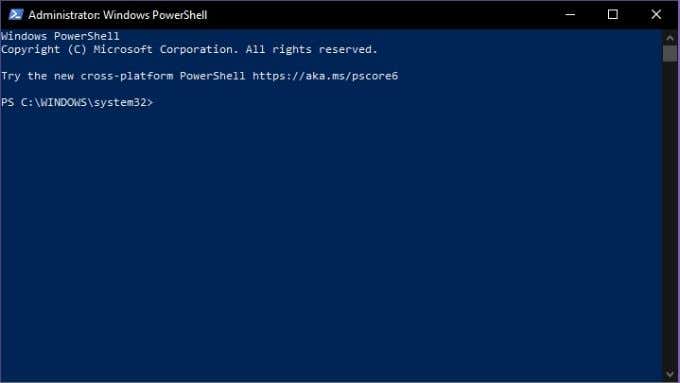
To access the Powershell:
- Right-click on the Start Button
- Select Windows PowerShell (Admin)
Now you can type your commands into the command line in PowerShell to your heart’s content. If you want to walk the path of the PowerShell master, it begins with a single step. That is, Using PowerShell for Home Users – A Beginner’s Guide by our very own Guy McDowell.
Now let’s begin to know them better.
What is Netstat?
Netstat or Network Statistics is a powerful information utility that gives you important insights into what your network connection is doing at any given moment. It gives you basic statistics on key network activity. This includes which ports are open and in use and what connections are open and running.
Netstat isn’t just a Windows application, it’s on Linux, Unix and Mac as well. It started life on Unix and has become a fundamental weapon in the network administrator’s toolbox.
There is a graphical alternative in the form of Microsoft TCPView, but knowing how to use netstat will always be useful. There are many use cases for the program, but one common purpose these days is the detection of malware. Malicious software such as trojans often open a port and wait to be contacted by their creators for further instructions. With netstat you can quickly see if there’s a suspicious connection from your computer to the network.
Important Netstat Commands
Netstat is one of the easiest TCP/IP utilities to use. All you have to do is type “netstat” (without the quotes) and you’ll get the standard list of active connections. Which should look something like this:
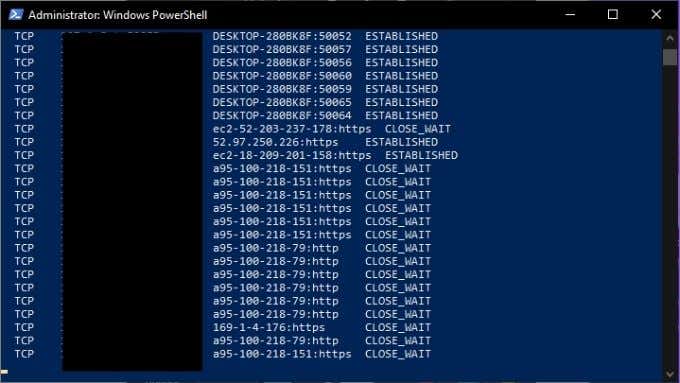
This is fine for a normal overview of your network connections, but you can modify the output by using modifiers. For example, “netstat -a” displays all active ports and “netstat -b” will show you the executable file responsible for each listening port. Here are more key commands:
- Netstat -e – displays details of packets that have been sent
- Netstat -n – lists currently connected hosts
- Netstat -p – allow to specify what type of protocol you want to check
- Netstat -r – provides a list of routing tables
- Netstat -s – gives statistics on IPv4, IPv6, ICMP, TCP, etc
What is Tracert?
Tracert is short for traceroute. It’s a network utility that shows you information about every stop along the way from your computer’s network interface to the destination device.
When you use Tracert, the application sends special Internet Control Message Protocol (ICMP) packets which compel the devices at each hop to send back information. Specifically, it asks them to relay the exact time the packet arrived and then uses that information to calculate the travel time between each hop.
There are three main uses for Tracert:
- To see where a packet gets lost.
- To determine where packets are delayed.
- To see the IP addresses of each hop along the packet’s route.
Next, let’s see the Tracert command in action.
Important Tracert Commands
The most basic form of the Tracert command requires the name of the utility as well as the network destination. The destination can be expressed as either an IP address or a website URL. For example: Tracert www.google.com.
The output of the command looks like this:
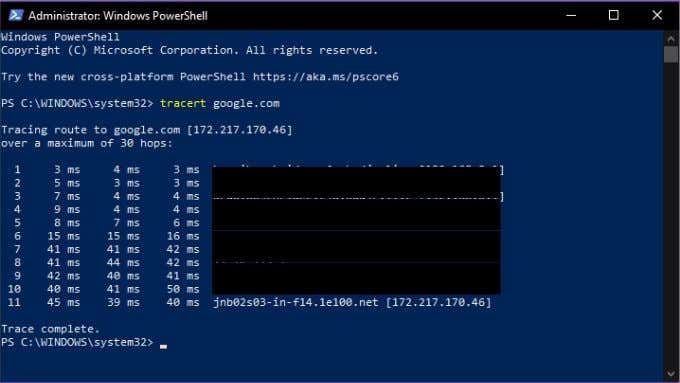
Tracert also has a small number of options, here’s the list:
- Tracert -d: Tells Tracert not to resolve addresses to host names
- Tracert -h: Maximum_hops – lets you change the default number of hops, e.g. -h 30
- Tracert -j host-list: Specifies the LSR (loose source route) along the host list
- -w timeout: Lets you set how long Tracert waits at each hop before considering it a timeout. E.g. Tracert -w 1000
It’s a simple tool, but can be incredibly useful if you’re playing network detective!
What is IPconfig?
One of the most useful network TCP/IP utilities, IPconfig shows you the current configuration of network devices in your computer. It can also be used to manually force certain actions relating to your network connections.
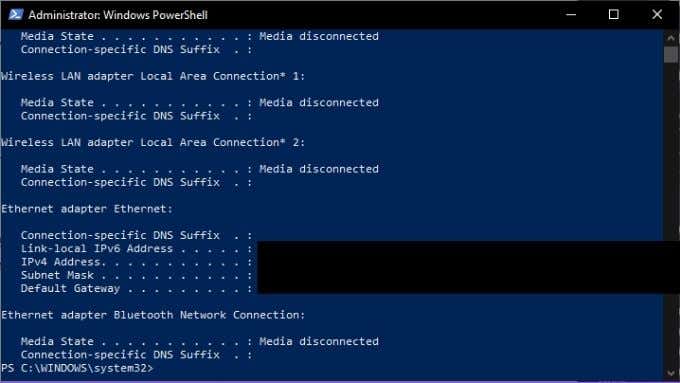
IPconfig is particularly useful if your computer has an IP address assigned to it dynamically. Since it lets you quickly see what IP address your system currently has.
Important IPconfig Commands
IPconfig is generally used with a parameter, which either displays network information or performs a network-related task. Here are some of the most important commands to know:
- IPconfig /all: Shows you all physical and virtual network adapter connection information.
- IPconfig /flushdns: Resets the DNS resolver cache. Good for solving DNS-related problems.
- /IPconfig /renew: Forces a new IP address to be assigned.
IPconfig is the go-to utility for general internet connection troubleshooting, so it’s worth memorizing its key commands.
What is NSLookup?
NSlookup is short for nameserver lookup. A “nameserver” is a key type of server in the DNS (domain name system). It is in effect a DNS server and that means it’s a network device that connects the URL you type into your browser with the IP address of the server that hosts the content.
Usually this process is hidden from you as the user, but NSlookup lets you do two things:
- Find which IP address is behind a particular website address.
- To find the URL connected to a specific IP address.
So if you only have either a web address or an IP address, you can use NSlookup to find the other part of the puzzle. You can combine this with the information from other tools, such as Tracert or Netstat to determine which web servers are attached to the IP addresses they report.
Important NSLookup Commands
There are three main NSLookup commands you should know. The first is just “nslookup”. This shows you the current name server and its IP address.
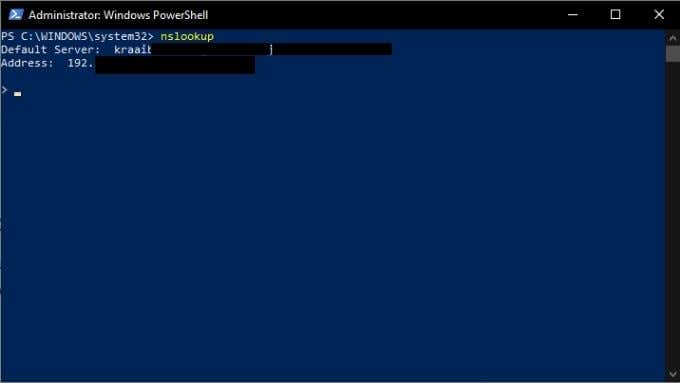
Note that NSlookup is still running and you are at its command line, not PowerShell. If you want to go back to PowerShell, type exit and press enter.
However, let’s stick around for a second and ask our nameserver to give us the address for Google.com. Just type google.com and press enter.
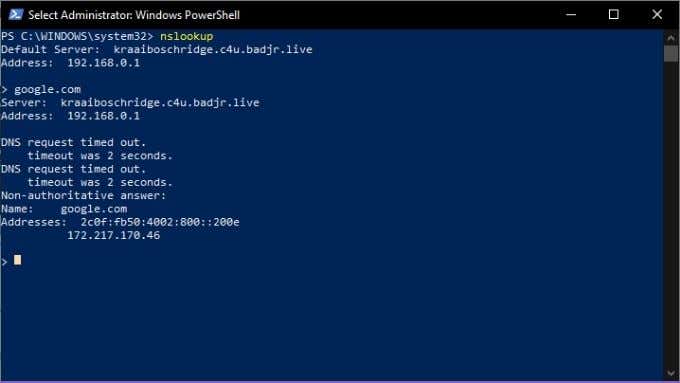
As you can see, this gives us the IP address 172.217.170.46. Type that into your web browser and you’ll be taken straight to the Google search engine. You can also do a reverse search and enter an IP address, which should then return the URL of the server associated with it.
Now you’re familiar with four of the fundamental TCP/IP utilities that will help you understand what’s going on in your network and pull back the curtain on the mystery that is the internet. Have fun!
