
When you work with sensitive data, you might run across protected Excel sheets. You might also want to give other people access to that information, without sharing your (or someone else’s) passcodes with them. In that case, you can remove a password from a protected Excel sheet or file and then safely share the document with your colleagues.
Here are a few different methods and tools that you can use to remove a password from a protected Excel sheet.
How to Check if the Excel File Is Encrypted
Before you try to crack a password-protected Excel document, you need to find out whether the entire file is encrypted, or if it’s only a sheet within the workbook that’s protected.
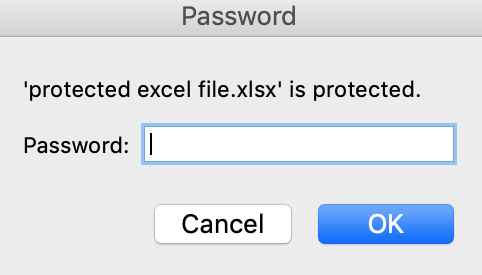
To do that, try to open your Excel file. If you can open and view the file, but can’t edit it, that means that only one worksheet in the Excel workbook is password-protected. If you open the file and get a pop-up warning asking you to enter a password, then your entire Excel file is encrypted and you won’t be able to open it as easily.
How to Unprotect an Excel Sheet if You Know the Password
If you remember your Excel sheet or workbook password, you simply need to remove it to unprotect your document. That can come in handy when you want to share the file with a colleague or a friend and need them to make edits as well.
In that case, you don’t need to break your password or use any third-party tools to unprotect your document. You can safely remove it within Microsoft Excel. To unprotect an Excel sheet, follow the steps below.
- Open the password-protected Excel document. If your Excel file isn’t encrypted, you’ll be able to open and view it without having to enter the password.
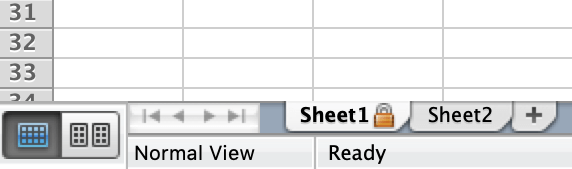
- Find the sheet that you need to unprotect at the bottom of your Excel Workbook. The password-protected sheet will have a padlock icon next to it.
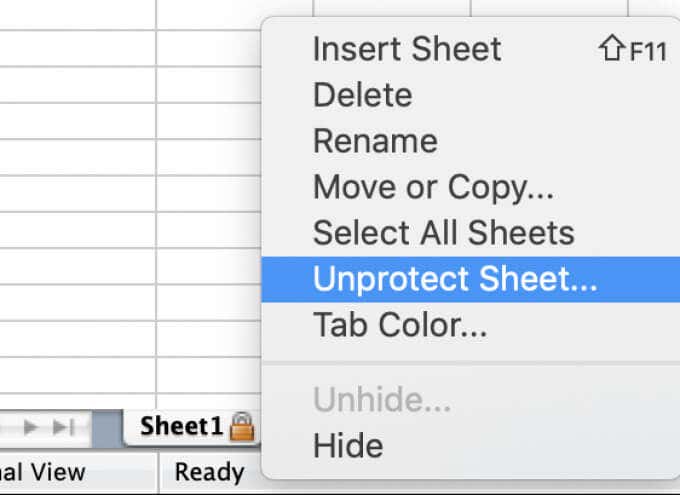
- Right-click the sheet and select Unprotect Sheet.
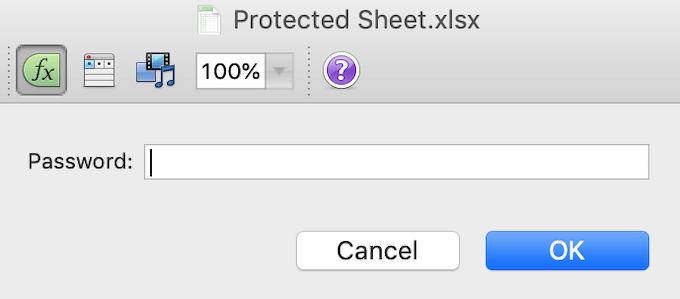
- Type the password into the pop-up window and select Ok.
If you see the padlock icon next to the sheet’s name disappear, then your sheet is now unprotected. If you have many password-protected sheets within the workbook, you’ll have to unprotect each of them.
Remove Password from Excel Using a Third-Party App
If you misplaced your password and need to crack an encrypted Excel file, you’ll need to use tools other than Microsoft Excel. All those tools need you to buy a licensed version, so removing a password from your file will cost you.
Modern versions of Excel use advanced encryption methods which make it extremely difficult and often impossible to remove a forgotten password from your document by yourself. So unless your Excel document was encrypted prior to 2013, you’ll have to use a third-party app to crack it.
Passware Excel Key
A good example of software that can do this is Passware Excel Key. It’s a simple Excel password remover tool that supports all versions of Excel. Meaning you can use it to crack any Excel file, even if you don’t know when it was encrypted. Before buying the license, you can also download a demo version and test it. The demo version however will only recover the first 3 characters of your password.
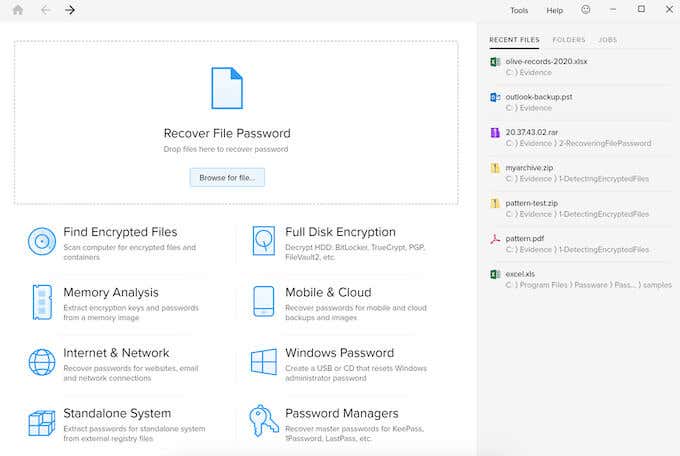
To crack a password-protected Excel file using Passware Excel Key, all you have to do is install the Passware Excel Key app on your computer, and then use it to open your Excel file. Depending on the complexity of the password, the recovery process might be finished within a few minutes.
When testing the tool against the passcode “password”, the recovery took just under 15 minutes. However, keep in mind that if you use a harder password that contains both letters, numbers, and symbols, the recovery process could take hours.
One useful feature of Passware Excel Key is that the software supports multilingual passwords as well. The basic kit license starts at $49 and comes with a 30-day money back guarantee. You can also download a demo version to see how the tool works first.
iSeePassword Excel Password Recovery
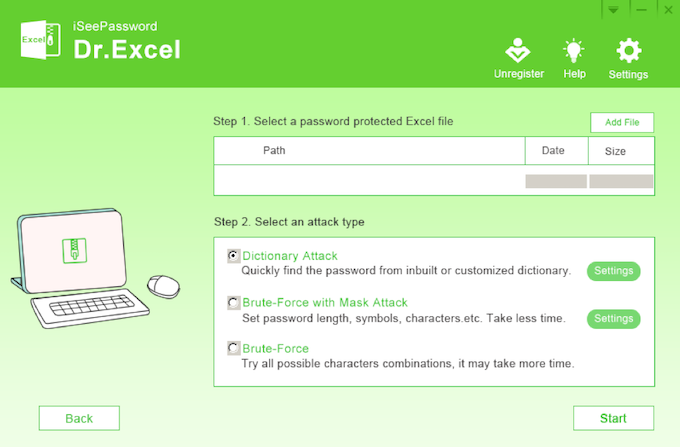
One more tool we’re going to recommend is the iSeePassword Excel Password Recovery tool that’s also called Dr Excel. Here’s how to remove a password from an Excel file using Dr Excel.
- Download and install Dr Excel on your computer.
- Open Dr Excel and select to either Recover Open Password from Excel or Remove Workbook, Worksheet Password.
- Under Step 1, select Add File and choose your Excel file.
- Under Step 2, select the type of attack that you want to use to crack the password: Dictionary Attack if you remember that you used an easy letter-only password, Brute-Force with Mask Attack if you want to remove the password quicker, or Brute-Force if you remember that it’s a difficult password.
- Select Start.
If you’ve used an easy password that’s under 6 characters, you should be able to crack it within an hour. However, if you’ve used a more complex passcode that contains letters, numbers, and symbols, removing it will take several hours.
Dr Excel license costs $29.95 for lifetime use. You can also use the trial version to test the software before buying it.
How to Remove Password from Excel Online
If you don’t want to install new software or don’t have time for it, you can use one of the password removal tools available online, like Password-Find. To remove a password from your Excel file using Password-Find, follow the steps below.
- Open the Password-Find website.
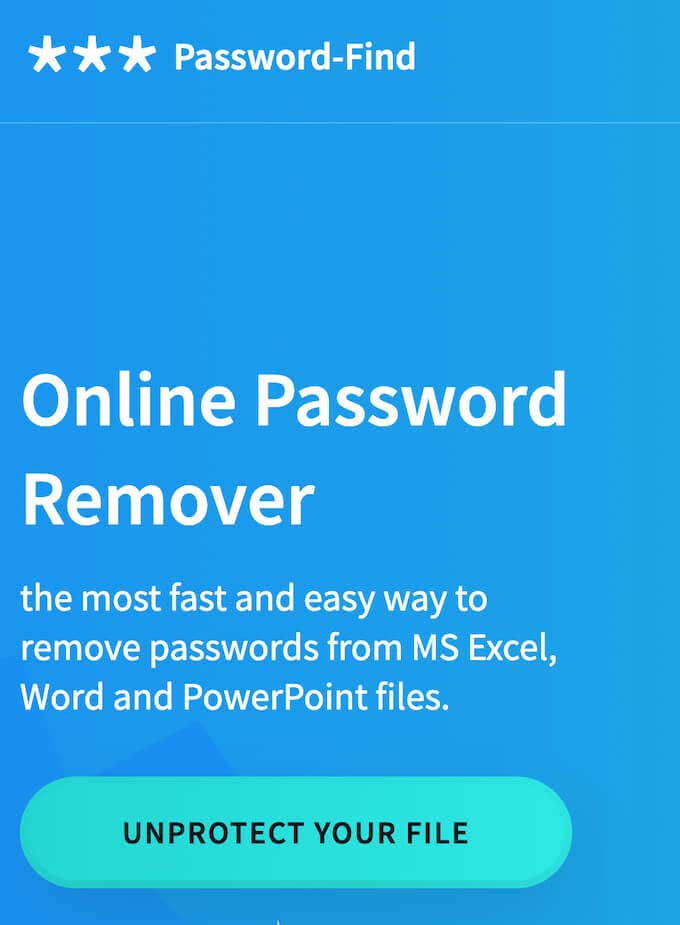
- Select Unprotect Your File.
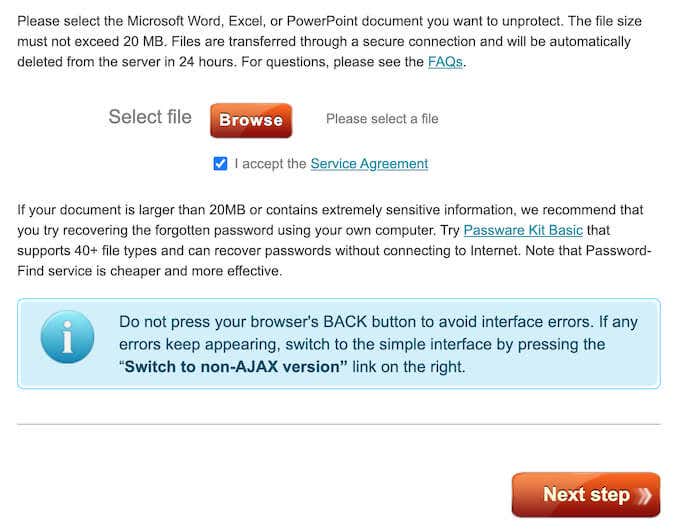
- Select Browse to upload your Excel document. Then scroll down and select Next Step.
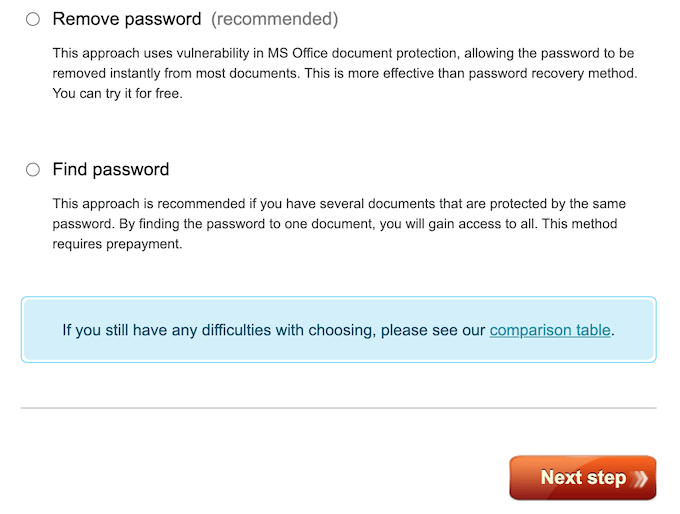
- Select to either Remove password or Find password, then select Next Step to confirm.
One advantage of Password-Find is how quickly it’ll crack your Excel file’s password. When testing it with the easy passcode “password”, it was removed within seconds, not even minutes or hours that you can expect from similar tools. The harder passcode that contains letters, numbers, and symbols still only took under 2 minutes to remove.
After your password is removed, you can check the demo version of your unprotected Excel file. To access your file fully and to download it for future use you’ll have to buy a Password-Find product license that costs $13.
Other Methods You Can Use
If you don’t want to spend money on cracking your Excel document, or if the methods you used failed, you can try other techniques to remove a password from Excel. Bear in mind that they are much more time consuming and less beginner-friendly than using a password removal tool.
Have you ever had to remove a password from an Excel file? Which method did you use to do it? Share your experience with cracking Excel documents in the comments section below.
