
The HyperTerminal was an incredibly useful pre-installed Windows tool included before Windows 7. A darling of power users with hundreds of uses, these days it’s sadly gone. It’s no longer part of Microsoft’s vision for their operating system.
The problem is that plenty of guides, fixes and advice you wouldl find on the internet may still need the HyperTerminal to work. The good news is that there are plenty of great HyperTerminal alternatives for Windows 10 that are only a click away. We’ve rounded up some of the best ones you can try right away. Best of all, they’re all free.
What Was HyperTerminal?
A terminal program is a type of application that uses a text-based interface to allow users to access all sorts of services. A terminal is designed as a way to send commands to another computer system. So, unlike the command line program in Windows, a terminal isn’t exclusively designed to control your own local computer.
Using a terminal program, you can send low-level commands through a serial port or through a network connection. Services such as Telnet, were popular use of terminal software. It’s also possible to control certain devices to the serial port by using the terminal.
If You Only Need SSH, Read This First
One of the main reasons people used HyperTerminal in the past has been to make use of the Secure Shell (SSH) function. This is a protocol used to securely send commands over a network in text form and is a common power user requirement.
Microsoft cushioned the blow of removing Hyperterminal by building a secure shell command into the command line program that still comes with Windows. So, if all you need is secure shell functionality then there is no reason to look for HyperTerminal alternatives. The Windows command line already has Windows remote shell functionality.
With that small public service announcement out of the way, here are some of the best HyperTerminal alternatives for Windows 10.
Tera Term
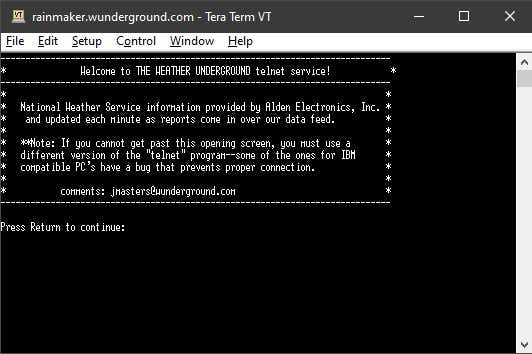
TeraTerm is a completely free and Open Source (FOSS) terminal emulator that comes in at a very small size. It’s not just a generic terminal, but can emulate specific models of physical terminals, making it easy for people who know those terminals to keep going.
As far as we can tell, Tera Term is a feature-complete terminal emulator and even has some very nice “luxury” features. The menu system makes it pretty easy to configure it exactly the way you like.
As an Open Source package, you can be pretty sure that the community has done good quality of life work and that there’s no malware or privacy-infringing code in there. On the other hand, there’s no company or support department to help you if something goes wrong. So if you need a terminal emulator for mission-critical business reasons, you should obviously opt for a commercial solution instead.
PuTTy
Just as with Tera Term, PuTTy is another Open Source terminal program. Which means it has the same general caveats of any such program that doesn’t have paid support. This is also, strictly-speaking, a beta program given that the current version number is 0.73. That’s pretty much par for the course however, when it comes to Open Source applications.
In case you didn’t know, PuTTy is actually the most popular HyperTerminal alternative in the world. At least, it is if we go by download count.
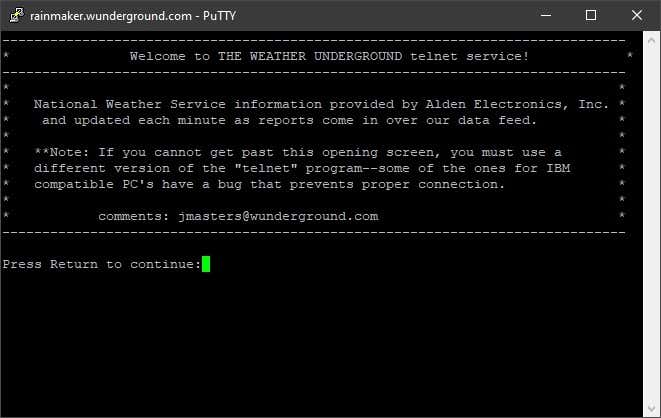
As you might expect, the program itself is pretty good. It’s powerful without being completely inaccessible to newbies. It’s been in development since 1998, which means there are decades of lessons learned built into the application.
One particularly strong aspect of PuTTy is its wide support for various encryption standards. This includes public encryption keys and SFTP, making secure communications and file transfers a doddle.
KiTTY
Not everyone thinks that PuTTy is the bee’s knees, which is why the project forked into KiTTy. Based on the same source code as PuTTy, the people behind KiTTy have taken the software in a different direction. Over time, each terminal emulator has cultivated its own fans, so there’s no objective way to say that one is better than the other. How is KiTTy different? Glad you asked!
First of all, it seems that KiTTy is getting more development attention than PuTTy, but as with all open source projects that could have changed by the time you read this.
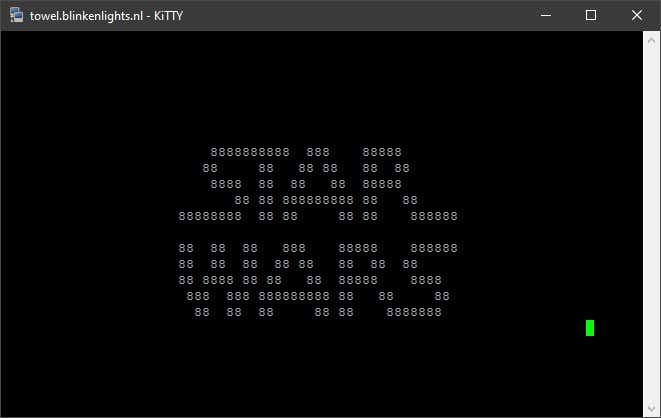
KiTTy exists because of user feature requests that just weren’t being put into PuTTy. For example, KiTTy has a portable app version, which means you can just take it along on a flash drive, moving from one computer to the next. It supports automatic logon scripts, supports background images or a transparent terminal window, and it can run locally saved scripts. That’s just a small sample of the long feature list KiTTy has included to please disgruntled PuTTy fans.
The downside is that KiTTy isn’t as lightweight and streamlined as PuTTy, which is why it still has plenty of fans. In the end the choice is down to which features you can or can’t live without.
SmarTTY
Let’s say you do mainly want an SSH solution, but you are a heavy user of this feature and need something more powerful and user-friendly than the Windows 10 native SSH interface. That’s where SmarTTY comes into play.
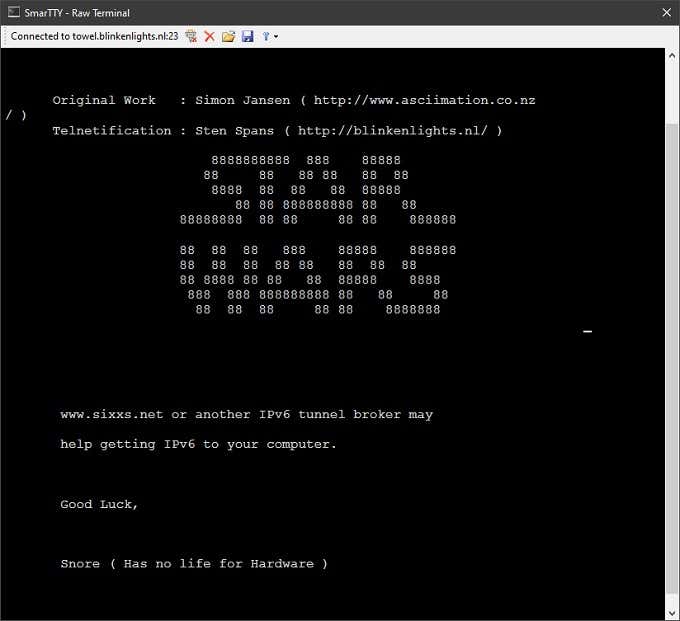
This isn’t an open source application, but it is free to use. Just remember that closed source applications might have privacy issues which we don’t know about, because no one but the developer knows what’s in the source code.
If that doesn’t bother you, then SmarTTY offers a very cool multi-tab, graphical SSH tool and is also perfectly capable of serial port functions and Telnet.
Are You Out There?
Apart from how useful a terminal emulator program can be, there’s something wonderfully nostalgic about staring at the infinite blackness of a terminal, with its lone blinking cursor. While it’s never possible to go back in time, we can at least pretend that those heady early days of computing are still with us. Just like the hacker elite we imagine we are.
