
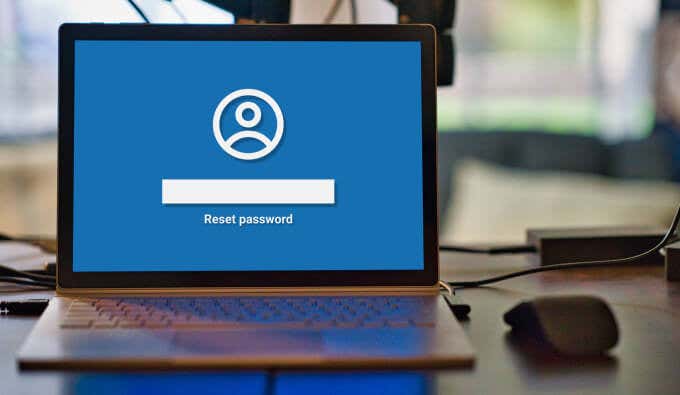
Although there are several ways to access your Windows computer if you forget your password, using a “Password Reset Disk” is by far the fastest. If you fear that you may someday forget your PC’s password, we recommend creating a password reset disk immediately.
Compared to other password reset methods (security questions, for example), a password reset disk is easier to create and way more secure. In this guide, we’ll explain pretty much everything you need to know about creating and using a password reset disk on a Windows computer.
What is a Password Reset Disk?
Think of a password reset disk as a master key that can be used to regain access to your computer if you forget your password. Technically, it’s not a physical disk. It’s simply a recovery file that Windows encrypts on an external storage device (USB flash drive or SD card). When plugged into your computer, you can create a new password right from the login screen within minutes.
How to Create a Password Reset Disk
You can create a password reset disk using the “Forgotten Password Wizard” located in the Control Panel. Follow the steps below to get it done.
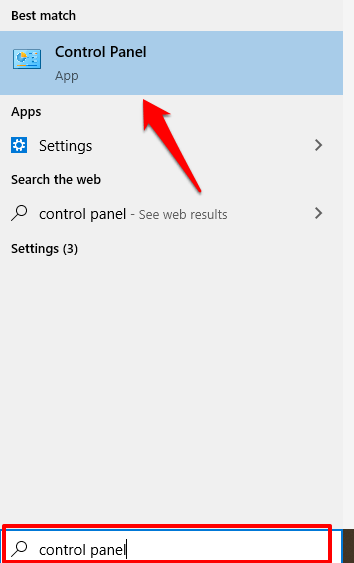
- Type “control panel” in the Windows search bar and click Control Panel on the result.
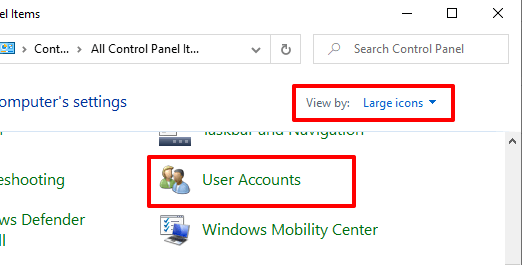
- Set the View by option to Large icons and click User Accounts.
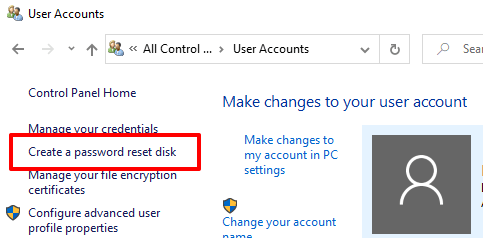
- On the right pane of the User Accounts window, click Create a password reset disk.
- That’ll launch the Forgotten Password Wizard, the built-in recovery tool that lets you create a password reset disk in Windows 10. Insert the USB flash drive into your computer and click Next.
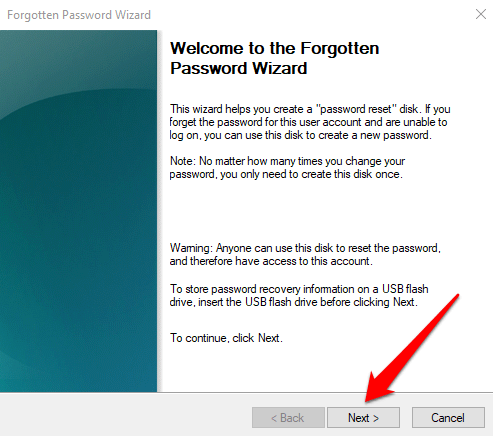
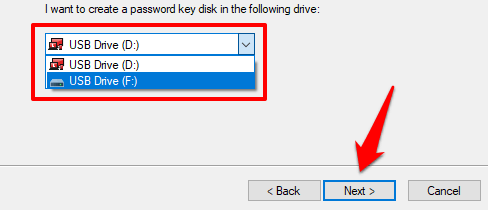
- If you have multiple USB drives connected to your computer, select your preferred drive from the drop-down list and click Next to proceed.
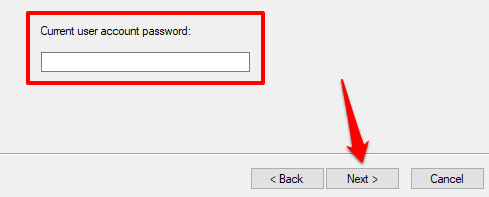
- Enter the current account password in the provided box and click Next to proceed. Leave the box empty if the account isn’t password-protected.
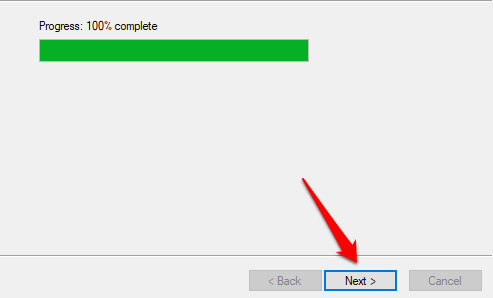
- Wait for the Forgotten Password Wizard to create the reset disk and click Next when the progress bar hits 100%.
- Click Finish to close the wizard.
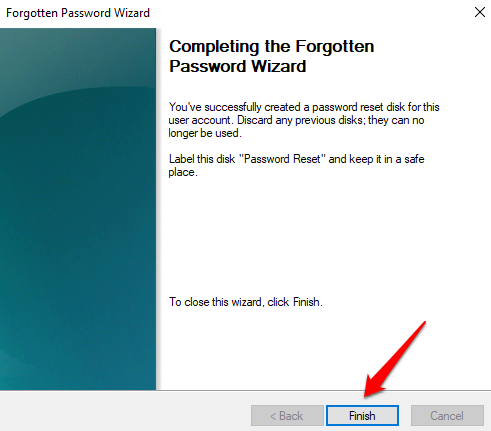
You’ll be prompted to label the disk “Password Reset” but we don’t recommend doing so. If the flash drive falls into the wrong hands, it becomes too easy for the holder to guess what the disk can be used for.
Simply keep the disk in a safe place and don’t use it for anything else. If you choose to label the disk, make sure the label is cryptic; use a code, name, or a pseudo-label that only you can understand.
When you open the flash drive in File Explorer, you should see a password backup file dubbed userkey.psw.
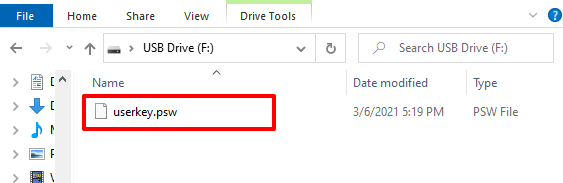
This is a confirmation that Windows has registered the USB drive as the password reset disk for your account. You won’t be able to use the drive to reset your password if you delete the file or format the flash drive.
How to Use a Password Reset Disk
Say you’re locked out of your computer because you can’t remember your password, whip out your password reset disk, plug it into your PC, and follow the steps below.
- Click Reset password below the password dialog box.
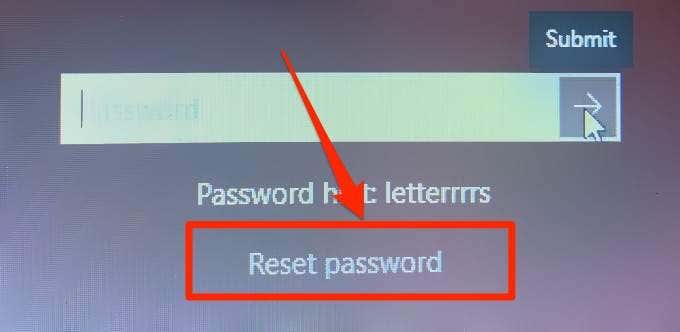
Note: If you don’t see the Reset password option on the login screen, click the Submit button or press Enter. The option should now appear on the screen when you’re prompted to log in again.
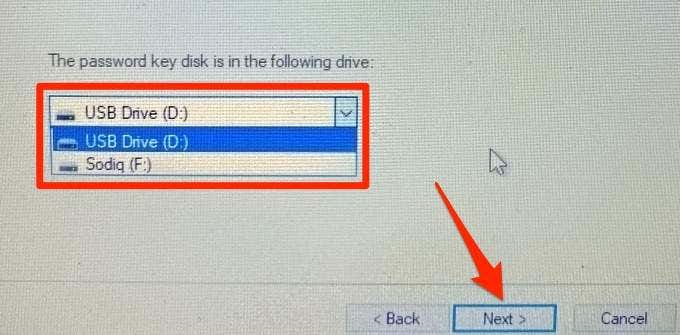
- Select the password key disk from the drop-down list and click Next.
- The Password Reset Wizard will prompt you to create a new password. Type the new password, re-enter the password in the confirmation box, and add a password hint—if you wish. Click Next to proceed.
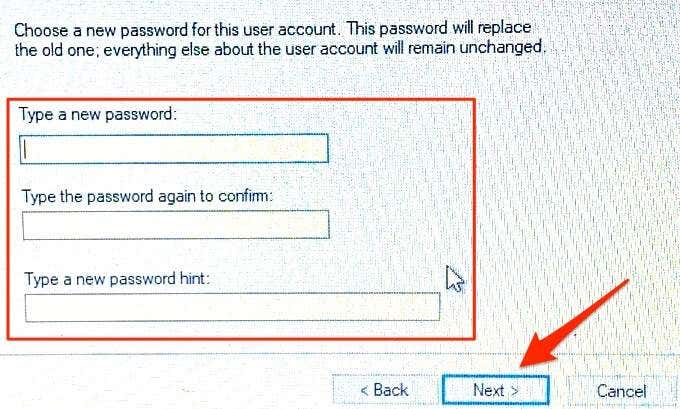
- The newly-created password will replace the old one you couldn’t remember. Note that you can also proceed without creating a new password. Simply leave the spaces blank and click Next. The Password Reset Wizard will delete the old password, meaning you can log in to your PC without a password.
- Click Finish to close the wizard. That’ll redirect you to the login screen; enter the newly-created password to sign in to your account.
Windows 10 Password Reset Disk: FAQs + Additional Info
Creating and using a password reset disk on a Windows 10 PC is relatively easy and straightforward. However, there are some important caveats that are worth pointing out. We provide more information about the feature in the next section.
What Happens if You Lose the USB Flash Drive?
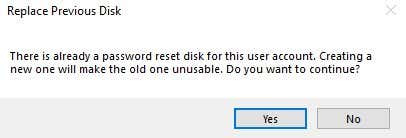
You can create a replacement password reset disk on a new USB drive. By doing so, Windows will no longer recognize the old or missing drive as your password reset disk. Log in to your account and follow the steps above to create a new reset disk. During the process, the “Forgotten Password Wizard” will warn that creating a new password reset disk renders the old one unusable. Click Yes to proceed.
Do You Need to Create a New Password Disk if You Change Your Password?
Absolutely not. A password reset disk is valid forever. It can be used to unlock or reset your computer multiple times, no matter how many times you change your password. You may only need to recreate the reset disk if you lose or format the USB drive.
Password Reset Disks Only Work With Local Accounts
You cannot use a password reset disk if you sign in to your computer with a Microsoft account. The feature only works with local accounts that are password-protected. Can’t remember your Microsoft account’s password? Visit the account recovery page on Microsoft’s website to reset it.
One Password Reset Disk Per Account
A password reset disk can only be used to unlock the account it was created on. If you have multiple accounts on your computer, you’d need to create individual password reset disks for each account.
You can create a password reset disk for other local accounts on your PC using the same USB drive—provided that the password backup files for the accounts are present on the disk.
Will a Password Reset Disk Work on Any Computer?
A password reset disk can only be used to unlock/reset the computer it was created. That is, you cannot use a password reset disk created on Computer A to unlock Computer B. Except, of course, you created the password reset disk for both devices on the same storage disk.
Never Lose Access to Your PC
You should create a password reset disk now, even if you don’t think you’ll ever forget your password. It’s always great to have a master key sitting somewhere. The only security risk is that anyone with access to the USB drive containing your password reset disk can lock you out of your computer. So, make sure you keep the drive safe and out of reach of other people.
