How-To · 6 min read
Chromebooks are immensely popular, especially amongst students and teachers, because they are lightweight and typically cheaper than other laptops. They…
Nicolae Bochis ·
December 19, 2022
How-To · 4 min read
Downloading files to your Chromebook’s local and external storage is easy. This tutorial will show you how to download and…
Sodiq Olanrewaju ·
December 18, 2022
How-To · 4 min read
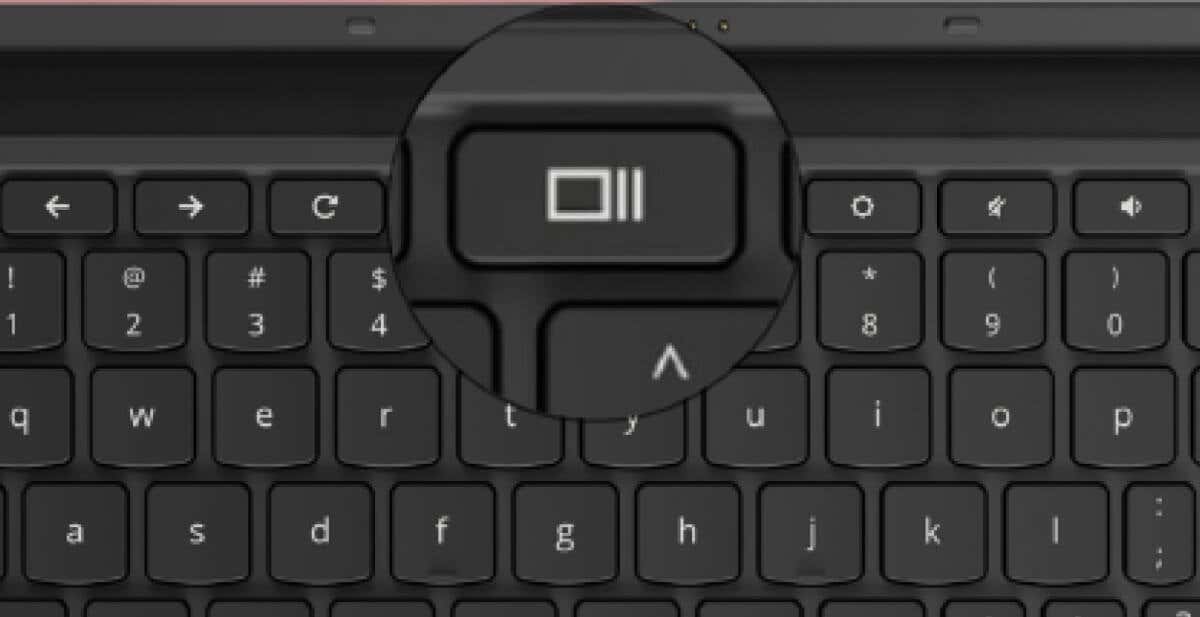
The “Show Windows” key has a rectangle and two vertical lines to the right. The key is on the top…
Sodiq Olanrewaju ·
November 28, 2022
How-To · 5 min read
Unlike Windows and macOS, the Chrome operating system’s recycle bin or trash can is hidden by default. Files deleted before…
Sodiq Olanrewaju ·
October 28, 2022
How-To · 7 min read
Your Chromebook’s keyboard may fail to register keyboard input if it’s dirty or water-damaged. Problems with your Chromebook’s operating system…
Sodiq Olanrewaju ·
October 24, 2022
How-To · 5 min read
iTunes is available for Windows and macOS computers only. There’s no official iTunes app for Chromebooks. However, there’s a way…
Sodiq Olanrewaju ·
September 12, 2022
How-To · 7 min read
Google Cursive is one of the note apps pre-installed on many touchscreen-enabled Chromebooks. It is a relatively new handwritten note-taking…
Sodiq Olanrewaju ·
August 25, 2022
How-To · 5 min read
Compressing files can save storage space on your Chromebook. Zipping files also offers a quick way to share a group…
Sodiq Olanrewaju ·
August 25, 2022
Reviews · 6 min read
Having a virtual private network (VPN) on your Chromebook is essential. VPN services can shield your Chromebook from the dangers…
Sodiq Olanrewaju ·
August 21, 2022
How-To · 6 min read
Microsoft Teams has dedicated apps for Windows, Mac, Linux, Android, and iOS devices. You can use the Linux or Android…
Sodiq Olanrewaju ·
July 16, 2022
How-To · 7 min read
Phone Hub is a ChromeOS feature that allows you to access and control Android devices from your Chromebook. With Phone…
Sodiq Olanrewaju ·
June 29, 2022
How-To · 7 min read
Windows and Mac computers have many keyboard shortcuts that help get things done faster. So do Chrome OS-powered computers. We’ll…
Sodiq Olanrewaju ·
June 9, 2022