
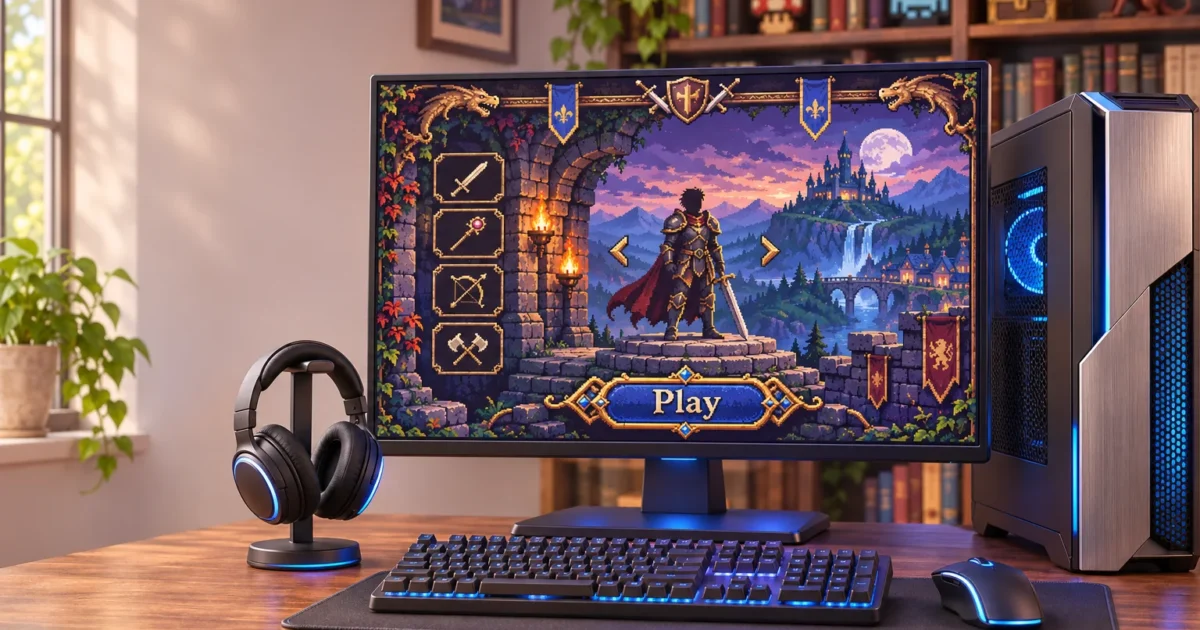
On November 12, 2026, Ars Technica reported that The Elder Scrolls: Shadowkey, the 2004 spin-off built only for Nokia’s N-Gage handheld, now runs on modern devices through a fan-made port known as Shadowkey: Reforged.
The developer’s official project site confirms it’s out now: the first release went live on November 11, 2026, free for Windows, Mac, and Android, with in-game updates still arriving. It’s an unofficial fan project by developer Dan Whelan, not affiliated with Bethesda or ZeniMax, and the developer says AI tools helped with the code and most of the new artwork.
What happened
Shadowkey was an action-RPG made for the N-Gage, Nokia’s long-discontinued phone-and-handheld hybrid. Playing it today has meant tracking down working N-Gage hardware or setting up an emulator. That kept it out of reach for most players on modern hardware.
According to Ars Technica, the fan project adapts Shadowkey for modern Windows PCs, rebuilding it for play away from the original N-Gage device. Other coverage identifies the project as “Shadowkey: Reforged” and reports the November 11 release across Windows, Mac, and Android.
It isn’t an emulator. According to the project site, it’s a new engine that reads the original game files and runs the game’s 1,533 original scripts unchanged. That also means it isn’t a standalone download: the port includes none of the original game, so you need your own copy of the original N-Gage game files to play.

Shadowkey Reforged PC port: what changed
The project site lists the changes in the current build. On the visual side, all 741 original pictures have been recreated at up to 4K, the HUD and menus are laid out for widescreen, and there’s new lighting, fog, moving water and flames. The picture can run at up to 120fps, while the game logic still runs at the original 25 updates a second, so it plays the same.
You pick Classic or Modern when you start a new game, and each save remembers it. Classic keeps the original look, rules and tall N-Gage screen shape. Modern adds optional extras, most of which can be switched on or off individually.
Those extras include smarter enemies that follow you through doors and up steps, fall damage, searchable containers, world and local maps, a quest log, fast travel, improved hit detection and enemy health bars. Both modes get controller support with rumble, rebindable controls, quicksave and autosave, and optional fixes for original bugs. Online co-op is listed as planned, not available yet.
If you own a high-refresh-rate monitor, these rendering improvements should make the biggest visible difference.
Who this affects
The port is out for Windows, Mac, and Android, and the downloads come from the project’s own site. The developer describes it as free and not for sale, so treat any page asking you to pay for it with suspicion and get it from the project site instead.
The catch is the game files. The port ships none of the original game, so it doesn’t give you Shadowkey by itself. It mainly helps people who already have their own legitimate copy of the original game files.
How it stacks up
| Option | What you need | Status |
|---|---|---|
| Original N-Gage release | Working N-Gage hardware plus the game | Authentic, but the hardware is discontinued |
| N-Gage emulator | An emulator and the original game data | Original visuals and portrait layout |
| Fan port (Shadowkey Reforged) | A Windows, Mac, or Android device, plus your own original Shadowkey game files | Released November 11, 2026 as a free download; artwork up to 4K, up to 120fps and optional Modern-mode gameplay changes; unofficial and unsigned |
The emulator and the fan port share one requirement: both need the original game data. So the port doesn’t widen access to Shadowkey. It makes the game look and play better for people who already have it.
Compare that with EA’s official Wing Commander remasters, which Ars also covered this month. Those come from the rights holder, through normal storefronts, with the usual publisher accountability. Shadowkey’s port has none of that. The developer says the Windows build isn’t signed with a paid certificate, and it comes with no warranty.
The reaction
Reaction is still forming. We didn’t find Hacker News discussion of the story. Early social posts mostly share the news and haven’t produced a debate worth weighing.
What to do next
If you want to try it, vet the download before you run anything:
- Download only from the official project site. Skip mirrors and “repack” sites.
- Before you unpack it, right-click the downloaded zip, select Show more options, then Scan with Microsoft Defender.
- After unpacking, you can scan the folder from PowerShell with
Start-MpScan -ScanType CustomScan -ScanPath "C:\Games\Shadowkey", using your actual folder path. Defender cmdlets may need an elevated (Run as administrator) PowerShell window, and a custom scan can take a while with little on-screen output. - Check the executable with
Get-AuthenticodeSignature "C:\Games\Shadowkey\Shadowkey.exe". Expect it to report no valid signature, since the developer says the Windows build isn’t signed. That isn’t proof of malware, but it means Windows can’t confirm who published the file, so the download source and your scan carry more weight. - If the project publishes file hashes, compare them using
Get-FileHash "C:\Games\Shadowkey\Shadowkey.exe" -Algorithm SHA256. - Run the game from a standard user account. Decline any administrator (UAC) prompt unless you know why the game needs it.
Because the build is unsigned, the developer’s install notes say Microsoft Defender SmartScreen may show a “Windows protected your PC” box on first launch. Separately, the same notes say Smart App Control, which is turned on for some new Windows 11 PCs, blocks the game with no Run anyway option. Weigh that before you turn off a Windows protection for one game.
Our take
Worth trying if you still have your Shadowkey files, but get it only from the official site. The Classic and Modern modes are real improvements for a game that has been hard to play for years. Still, a free, unsigned executable that suddenly gets press attention is exactly what malware distributors like to imitate.
Fake copies look like the biggest risk to us, though no one has independently audited the port itself. If you can’t trace a download back to the project site, don’t run it.
Wrapping Up
This port is a practical way to see Shadowkey on a modern 4K monitor, as long as you own the original game files. It’s still a hobby project with no publisher behind it, so check every download before you run it.
On Windows, you can also create a restore point first with Checkpoint-Computer -Description "Pre-Shadowkey" from an elevated PowerShell window, provided System Restore is enabled. A restore point can roll back system changes, but it isn’t a backup of your personal files and won’t undo everything malware could do. Keeping the game in its own folder on an external SSD or secondary drive keeps its files in one place, though it doesn’t isolate the program from Windows.