
If you’re looking to connect to your Windows PC from a remote location, there are several ways to do it. For instance, you could tunnel VNC over SSH, allowing you to use the open-source VNC protocol over an encrypted SSH connection. The best method, however, is to use the Windows Remote Desktop tool.
There are some steps you’ll need to take before you’re ready to connect to a Windows PC remotely. You’ll need to configure Remote Desktop through your router, ensuring that the necessary ports are open and that port forwarding is active. To do this and use Remote Desktop remotely, you’ll need to follow these steps.
Configuring Windows Firewall to Allow Remote Desktop Access
Before you can configure Remote Desktop connections through your router, you’ll need to make sure that Windows will allow ingoing and outgoing connections to your PC.
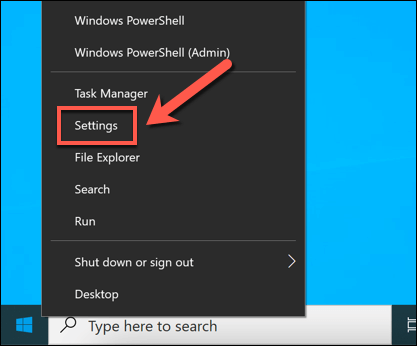
- To do this, right-click the Start menu and select Settings.
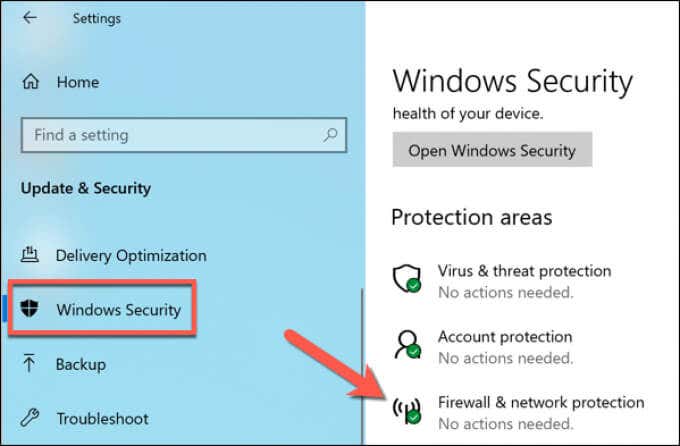
- In the Settings menu, select Update & Security > Windows Security > Firewall & network protection.
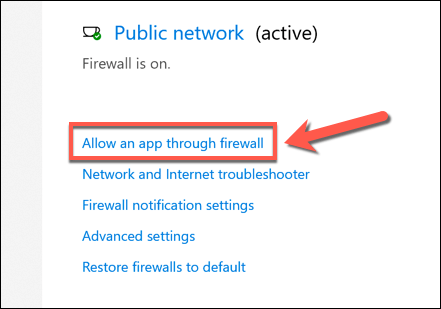
- In the Firewall & network protection menu, select the Allow an app through firewall option.
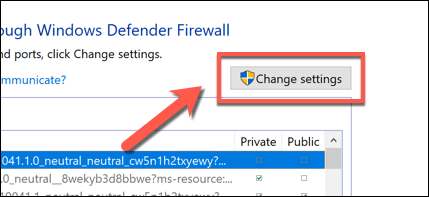
- Select the Change settings button in the Allowed apps window to unlock the menu.
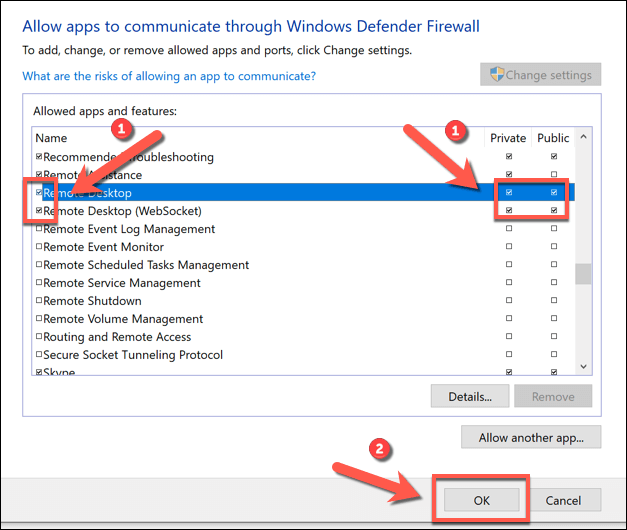
- Once you’ve unlocked this menu, find the Remote Desktop and Remote Desktop (WebSocket) options in the list provided. Select the checkboxes next to these options to allow RDP connections through the firewall. Select the OK button to save your choices.
Changing the Default RDP Port on Windows 10
You have set up Windows Firewall to allow RDP (Remote Desktop Protocol) connections. Now, you should change the default RDP port used by Windows for RDP connections from port 3389 to an alternative port number.
This is because the risk of Remote Desktop Protocol attacks is extremely high. While changing ports isn’t the only way to secure your RDP connections, it will help to slow down and limit the risks from random, port scanning bots that search for open RDP ports on your router.
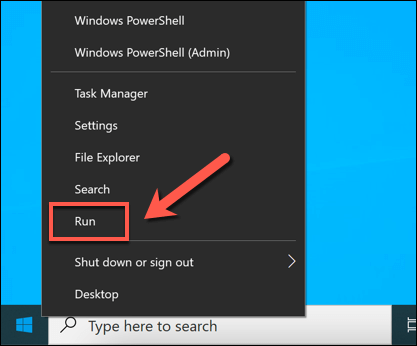
- To change the RDP port, right-click the Start menu and select the Run option. Alternatively, select the Windows key + R on your keyboard.
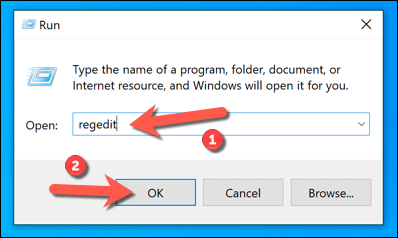
- In the Run dialog box, type regedit before selecting OK. This will open the Windows Registry Editor.
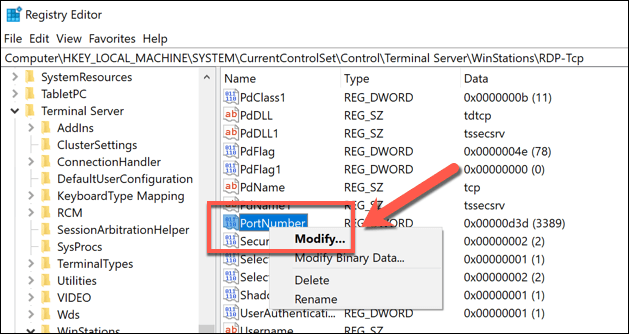
- Using the tree menu on the left in the new Registry Editor window, locate the HKEY_LOCAL_MACHINE\System\CurrentControlSet\Control\Terminal Server\WinStations\RDP-Tcp\PortNumber key. Right-click the PortNumber key on the right then select the Modify option.
- In the Edit DWORD (32-bit) Value box, select Decimal from the Base category, then set a new port value in the Value data box, making sure that the value you use isn’t commonly used by any other known ports. Select OK to save your choice.
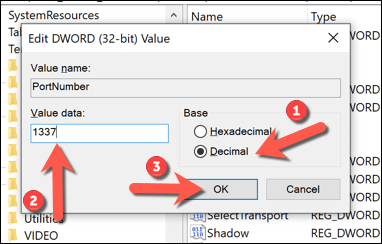
Once you’ve made the changes to the default RDP port number, you’ll need to restart your PC. Any connections you make to your PC using RDP moving forward will need to be configured using the port number you selected (eg. 10.0.0.10:1337 rather than 10.0.0.10:3389).
Enabling Port Forwarding on Your Network Router
You can now begin to configure your router to allow connections from the internet to your PC on your local network. The first step in this process is to enable port forwarding on your router without letting hackers in.
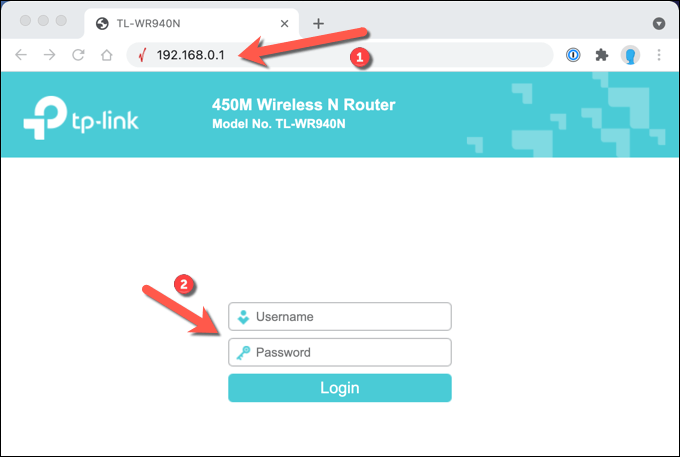
- To begin, access your router’s web administration page using your web browser (typically 192.168.1.1, 192.168.1.254, or a similar variation) and sign in. You’ll need to make sure that the device you’re using to access the web portal is connected to the same network. If you’re unsure, consult with the user manual for your network router for additional information.
- Once you’ve signed into your router, you’ll need to locate the port forwarding settings (eg. Forwarding > Virtual Servers on a TP-Link router). Once you’ve located these settings, you’ll need to add an entry that maps the RDP port (3389 by default, or a custom port you’ve set) to the local network IP address of your PC (not your public IP address).
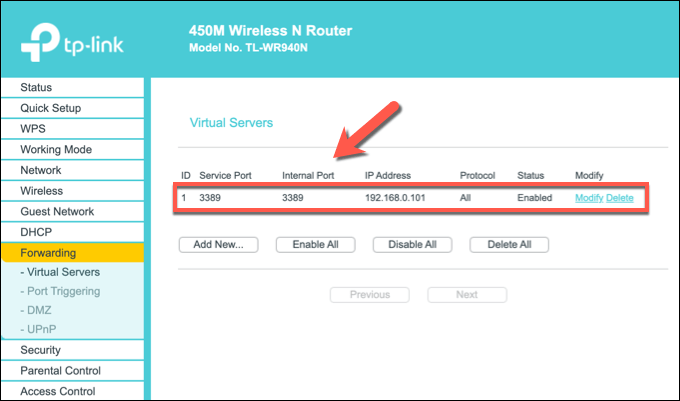
With the RDP port mapped, port forwarding should be active and ready to allow Remote Desktop connections over the internet. You should be able to connect to your PC remotely using your public IP address and RDP port number, with your network router forwarding the requests to your PC.
Mapping Your IP Address Using a Dynamic DNS Service
Once port forwarding is active, you should be able to make Remote Desktop connections over the internet as long as the port forwarding rule is active, your PC is switched on and connected to your router, your internet connection is active, and your public IP address remains the same.
However, if your ISP uses dynamic IP addresses (IP addresses that regularly change), you won’t be able to connect if or when your public IP address changes. To get around this problem, you can map your IP address using a Dynamic DNS service so that, when your IP address changes, you can still make connections remotely.
Before you can use a Dynamic DNS service, however, you’ll need to set up an account with an appropriate provider like No-IP.
- If you want to use No-IP for Dynamic DNS, create your account by providing your email address and a suitable password. You’ll also need to provide a hostname (eg. example.ddns.net) that you can use to establish RDP connections without using your IP address.

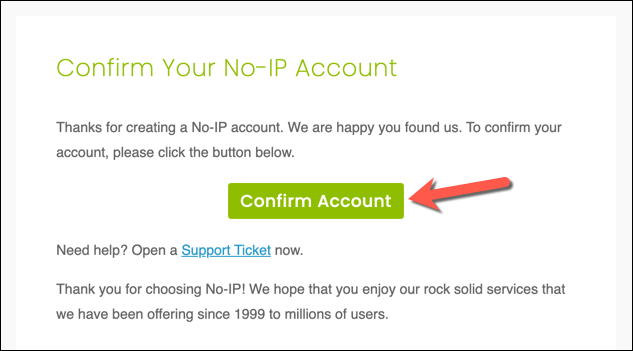
- Once you’ve created your account, you’ll need to activate it. Check your email inbox and select the Confirm account button included in the confirmation email once you receive it.
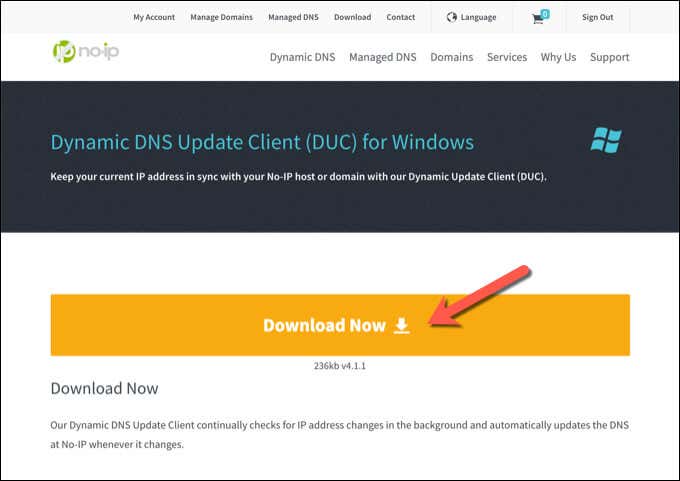
- With your account activated, you’ll need to install the Dynamic Update Client on your PC next. This ensures that your No IP account always has your correct public IP address, allowing you to make connections. Download the Dynamic Update Client to your PC and install it to proceed.
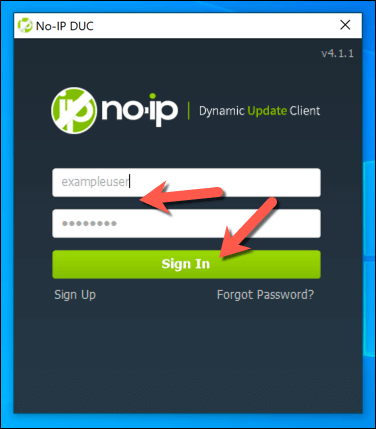
- Once the Dynamic Update Client is installed on your PC, the app should open automatically. Sign in using your No IP username and password at this point.
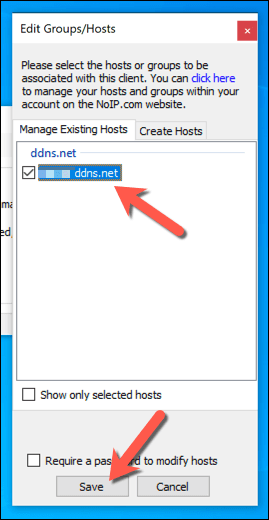
- After signing in, you’ll need to select which hostnames to link to your public IP address. Select the appropriate hostname from the list, then select Save to confirm.
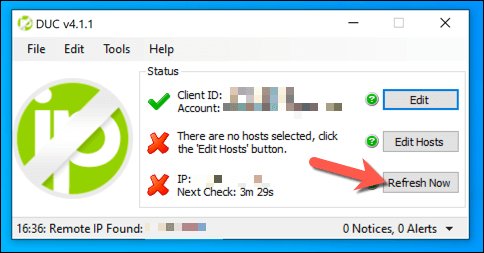
- At this point, you should be able to connect to your PC remotely using your Dynamic DNS hostname and the RDP port in use (eg. example.ddns.net:3389). The Dynamic Update Client will check for changes to your public IP address every five minutes, but if you want to refresh this yourself, select the Refresh Now button in the DUC settings window.
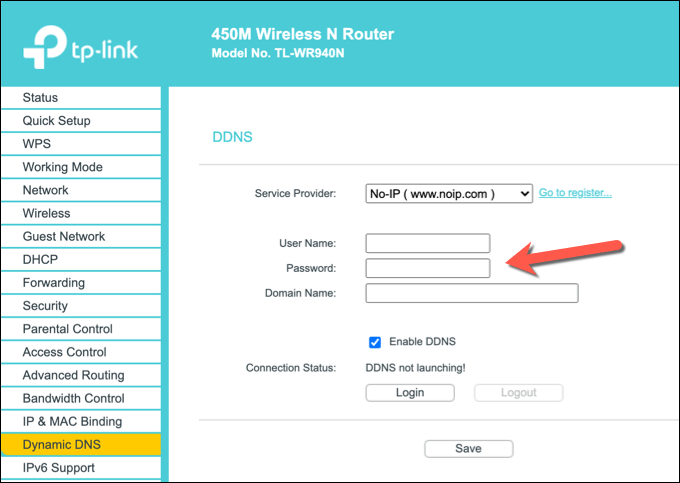
- Certain network routers (such as TP-Link) support Dynamic DNS and allow you to automatically refresh your public IP address without installing the Dynamic Update Client on your PC. Though, it’s recommended that you still do so as a backup option. For example, users with a TP-Link router can access these settings by selecting the Dynamic DNS menu option on the web administration page. For other models, consult your network router’s user manual for more information on how to proceed.
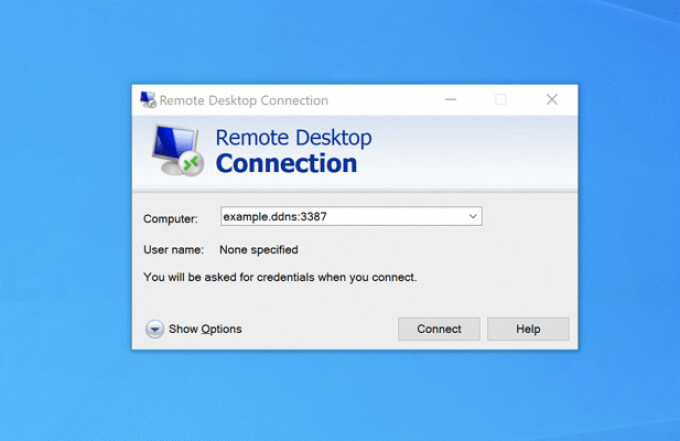
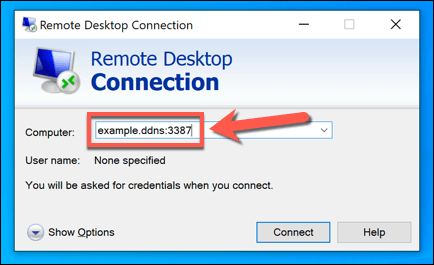
- Once you’ve configured your router using these steps, you should be able to connect remotely using RDP. Make sure to type the correct Dynamic DNS hostname and port number (eg. example.ddns.net:3387) in the Remote Desktop Connection tool to authenticate correctly. If your router is configured properly and there are no other connection issues, you should be able to make the connection and establish the Remote Desktop connection successfully.
Alternatives to Remote Desktop
The steps above should allow you to configure Remote Desktop connections through your router. However, if your Remote Desktop connections aren’t working, or you’re unhappy with the quality, there are alternatives to RDP available. For instance, apps like TeamViewer will allow you to connect to your PC with ease.
You can also use various Remote Desktop management tools to maintain your connections, or you could think about setting up a VPN to establish connections to your remote PC instead. You may also want to consider how to remotely shutdown or restart your PC to reset your PC if you run into problems.
