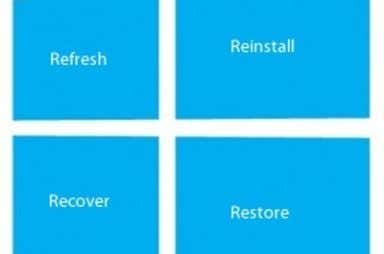
In Windows 8, you actually have three main options for recovering the operating system: refresh, reinstall and restore. While all of these options can be used to recover Windows, they all operate a bit differently. Each of the following Windows 8 recover methods performs a specific type of operating system reset: Refresh Reinstall Restore By [...]
Windows 8
Refresh, Reinstall or Restore Windows 8
November 16th, 2012 by Aseem Kishore
HDG Guide – Storage Spaces and Pools in Windows 8
November 12th, 2012 by Aseem Kishore
Windows 8 offers a new feature called Storage Spaces that gives you more drive setup options than before. If you utilize external drives, multiple internal drives or even network storage, you can use the Storage Spaces feature to not only manage the drives, but also customize the setup of the drives. Here are a few [...]
Install Windows Media Center on Windows 8
November 1st, 2012 by Aseem Kishore
Install .NET Framework 3.5, 3.0, 2.0 on Windows 8
October 24th, 2012 by Aseem Kishore
With Windows 8, .NET Framework 4.5 comes installed by default. Since .NET 4.5 is an in-place upgrade of 4.0, you can automatically run any applications that are geared towards .NET Framework 4.5 or 4.0. That’s fine, but what if you need to run programs that require older versions of .NET Framework? What’s the lowest version [...]
Windows 8 Device Guide
October 17th, 2012 by Aseem Kishore
Windows 8’s touch friendly metro interface is a feature that has been heavily criticized for desktop and traditional PC use and applauded for tablet use. Microsoft is of course a tech leader, so could a simple, futuristic OS like Windows 8 help push PC innovation forward? When you create a hybrid, tablet/desktop OS like Windows [...]
HDG Guide to Customizing and Organizing the Windows 8 Start Screen
October 16th, 2012 by Aseem Kishore
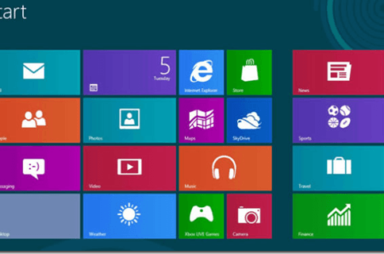
I’ve written a lot about Windows 8 and some of it’s advanced features, but I haven’t yet gone through a detailed explanation of the new Start Screen in Windows 8. It’s obviously a very different experience than the traditional Start Menu, but I’ve gotten the hang of it now. In this article, I wanted to [...]
HDG Explains – Swapfile.sys, Hiberfil.sys and Pagefile.sys in Windows 8
October 9th, 2012 by Aseem Kishore
In previous versions of Windows, you probably remember the good ol paging file. It’s used to when physical memory becomes overcommitted and it hold objects that usually have not been accessed in a long time. That is pagefile.sys. Next, we had the hibernate option in Windows that let you save the kernel and all applications [...]
Should You Upgrade to Windows 8?
October 8th, 2012 by Aseem Kishore
Over the past few months, we’ve covered a significant amount of tips and hints regarding Microsoft’s upcoming operating system, Windows 8. However, we’ve yet to mention any tips regarding whether or not we would recommend Windows 8 to our site visitors and subscribers. The fact is, many people will be updating their operating systems to [...]
Prevent Charms Bar Keeps Opening by Accident in Windows 8
September 29th, 2012 by Aseem Kishore
Help Desk Geek Ultimate Guide to Taking Screenshots in Windows 8
September 28th, 2012 by Aseem Kishore
Taking screenshots has always been fun in Windows, especially with Windows Vista and 7, which included the new Snipping Tool. Basically, since Vista, there have been two ways to take screenshots in Windows without third-party software: using keyboard shortcuts or using the Snipping Tool. Before Windows 8, it was very complicated to take screenshots of [...]