We'll do more than just show you useless benchmarks

Although they’ve been out for more than a decade now, Intel’s Core lineup, Core i7, Core i5, and Core i3 processors, still feels relatively young. Here, we will review the processors, explain the technologies behind them, look at Intel’s philosophy, and help you decide which processor to buy.
Rather than taking the traditional processor comparison route by showing you a bunch of benchmarks, game performance specs, etc., this review will focus on explaining the “core” of Intel’s core CPU lineup, which also includes the new Core i9 family.
Table of Contents
Although benchmarks are useful for hardcore gamers, they are pretty much useless for the average computer user. This guide should help you pick out a computer, with a good processor for your needs, without having to know what “3DMark” is.
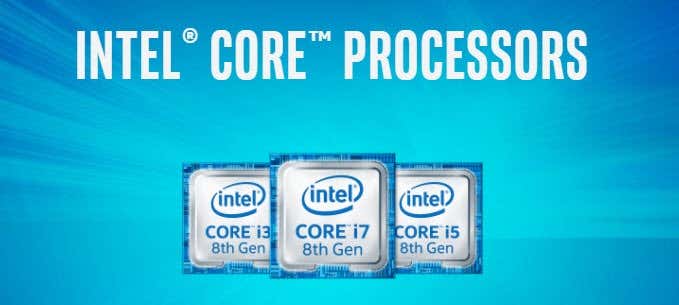
The first thing you may be wondering is if is now a good time to buy a PC with an Intel Core processor? It’s a bit disheartening for anyone to go buy something and find out the next day that the company just released a better model.
The answer is pretty much always yes, now would be a good time to get a computer with a Core series processor. Processors and Intel have a history of keeping product lines around for several years. Just look at their Core 2 Duo lineup as an example.
Core 2 Duo processors first made their debut in mid-2006. Those processors were still being put out by manufactures in new systems till 2010. Core i7, Core i5, and Core i3 processors have been around since 2008 and aren’t going anywhere. Also, in 2016 Intel has switched from the traditional tick-tock update cycle to the much slower three step process, architecture and optimization cycle.
Previously, every tock would be a major upgrade in terms of speed, efficiency and manufacturing. However, that has proved to be too hard now. The new cycle adds improvements and only every few years will we see major upgrades like going from 14nm to 10nm chips, etc.
Intel gives each new update to its microprocessor architecture a codename. You’ve probably heard names like Broadwell, Haswell, Skylake, Skylake-X, Kaby Lake, Coffee Lake and Cannon Lake. Wikipedia has a nice table here with all of the codenames and release dates. Basically, for the consumer, don’t worry about the next generation chip because it shouldn’t be that big of an upgrade from the current ones on the market.
So, which processor should you buy? The latest Skylake-X i9-7980XE with 18 cores and 36 threads or a simple Coffee Lake i3-8350K with 4 cores and one-tenth the cost of the i9? Well, it all depends on your needs and budget. First, let’s take a look at each brand of processors.
Core i3
We’ll start at the bottom and work our way up. Core i3 is Intel’s latest budget processor. Even though the Core i3 is the lowest of the bunch, it’s still a very good processor that has received good to outstanding reviews by the majority of experts and customers alike.
The technology behind Core i3 processors includes dual core base, hyper threading support, and virtualization. Core i3 processors do support 64-bit versions of Windows. By taking advantage of Intel’s new chipset and 14nm technology, Core i3’s perform very well for most of today’s computing tasks.
In addition, this year is the first year that a Core i3 processor (Coffee Lake) will have 4 cores instead of 2. Each core is basically like its own processor and the more cores you have, the more tasks a computer can do simultaneously.
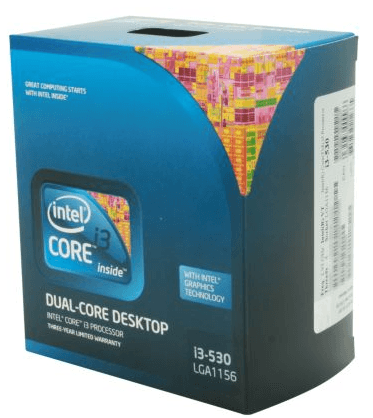
The other big difference between Core i3 and the higher versions is that Core i3 does not support turbo boost. Turbo boost is the ability to overclock the processor beyond its base clock speed. Also, the latest Coffee Lake i3 processors have dropped hyper-threading.
Should you buy a computer with a Core i3 processor? It depends. If you use your computer for basic tasks such as word processing, email, surfing the web, watching video, etc., a quad-core i3 processor is more than enough to handle all of that with ease. A Core i3 processor is a solid, affordable choice for most people.
Core i5
Core i5 is the latest “mid-range” processor by Intel. A step up from the Core i3, i5 processors will give you a noticeable difference in speed, depending on the type of applications that you run. If you are playing solitaire, you aren’t going to be able to tell a difference between Core i3 and Core i5 processors. If you are editing multiple files in Adobe Photoshop, you will notice the Core i5 can complete tasks faster.
Technically, Core i5 processors are marketed a bit differently. There are three main types of Core i5 Processors: dual core, quad core and now six cores. Dual core i5 processors have 32nm and 22nm technology, hyper threading support, virtualization support, and Turbo Boost technology. Quad core i5 processors have 45nm, 22nm or 14nm technology, virtualization support and Turbo Boost technology, but do not have hyper threading support.
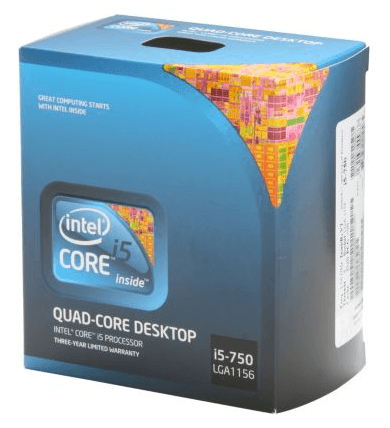
The latest Coffee Lake i5 chips do not support hyper threading also, but have been bumped up to six cores, instead of four.
Do the three types of Core i5 processors offer similar performance? For single-threaded applications, the six core will beat out the dual core, but won’t make a huge difference compared to the quad core. However, for multi-threaded applications, the newest six core will have a significant advantage over the dual and quad core versions. When purchasing an i5, be careful to note how many cores are in the processor.
Should you buy a computer with a Core i5 processor? In most situations, a Core i5 is a safe bet if you can spend the extra cash. Core i5’s offer enough performance to do stuff like video editing and gaming, and more than enough performance to do basic stuff like word processing, internet surfing, and email. A Core i5 processor is a great, mid-range priced processor for people who use their computers frequently and often multi-task.
Core i7
Next, we have the Intel Core i7 processor lineup. Core i7’s were the current top-of-the-line chips, out of all the Core series processors. That is until Core i9 and Core X series chips. However, the Core i7 series is still quite expensive. The Core i7’s also come in several different varieties. The is difference is in the chipset.
Before Coffee Lake, the i7 series had quad core performance, virtualization support, hyper-threading, and Turbo Boost Technology. With Coffee Lake, we get a nice boost to six cores, just like i5, but i7 supports hyper threading, so we get a total of 12 threads.

The main use for Core i7 processors is major multi-tasking, heavy multimedia tasks, top-notch gaming, and heavy computing tasks. You will see the benefits of an i7 when running a couple of virtual machines or while editing 4K or higher video in Premiere.
The i7 processors also have a larger on-board cache, which lets it perform repetitive tasks more efficiently. Larger caches also mean better multitasking performance.
Should you buy a computer with an i7 processor? For the vast majority of people, it’s overkill. It would be much smarter to go with something like an i5-8600K and spend the savings on a better graphics card or more RAM or even a faster SSD hard drive.
However, if you occasionally perform CPU-intensive tasks or do 2K or 4K gaming, the i7 series is an excellent choice.
Core i9
Last, but not least, we have the new Core i9 series of chips, which are a big change from the rest of the lineup. Firstly, all the i9 chips use the new LG 2066 socket, which require an Intel X299 chipset motherboard.
The i9 series of chips is also the most powerful set of processors that Intel has released by far. The cheapest one has 10 cores, a huge L3 cache and costs about a grand right now. The highest end i9 has mind-boggling 18 cores (36 threads) and will set you back about the price of a cheap used car.
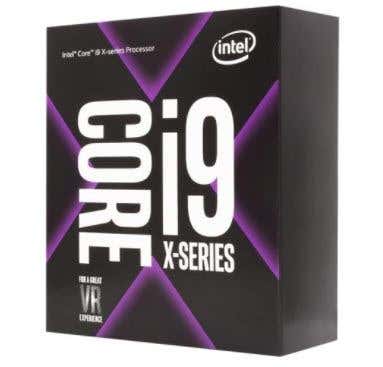
All of the i9 processors are part of the Core-X series of processors also. There are also Core-X versions of Core i7 and Core i5 processors, though the i9 processors totally crush the i7 and i5 versions in benchmarks.
Should you buy a computer with an i9 processor? Yes, if you want the coolest, fastest and most wicked computer you can own. Just be ready to put down some serious cash. Also, when you get a processor with such high specs, it only makes sense if all the other components are high-end too. You’re talking several thousand dollars here, so i9 is literally for 3D animation, scientific calculations, etc.
Conclusion and Advice
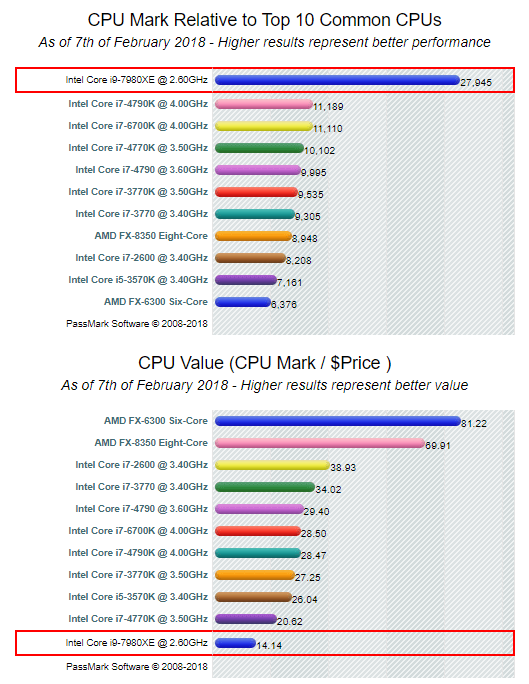
No matter which processor you decide to buy, you’ll be getting a quality processor that will last you a long time. However, every purchase is a balance between cost and performance. My recommendation is to use a site like CPUBenchmark to get details about each processor you are considering.
For example, the top of the line Core i9-7980XE has a terrible CPU value score because of its high cost:
Use this tool along with your budget and needs to determine the best processor to purchase. Even if you aren’t planning on buying a CPU, hopefully this gives you a good idea on the differences between the Core i3, i5, i7 and i9 processors from Intel. Enjoy!