

Networking Articles









USB-C vs HDMI: What’s Different and Which Is Best for Video Output?
We give you the complete lowdown

 Oct 31st, 2022 by
What Is Mesh Network Topology?
And how you can use it in your home
There are many different ways to build a computer network. Mesh network topology is slowly becoming the new gold standard for home networks, but what does it mean to have […]


What Is PCIe 6.0 and How Is It Different?
Plus, what's in store for the future
PCIe 4.0 motherboards are only now starting to ship to customers, but that’s not slowing down the development of this crucial peripheral connections standard. PCIe 6.0 is already on the […]

What Is Wi-Fi 7 and How Is It Different?
A shot in the arm to your network
Be it Bluetooth, USB, or WiFi, every technical standard goes through multiple iterative upgrades over time. The next generation of Wi-Fi brings faster transfer speeds and lower latencies, improving the […]

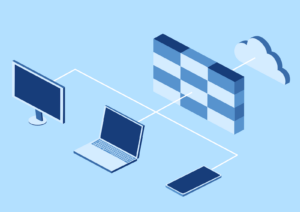
8 Types of Firewalls Explained
Plus which type is best for you
Everyone understands the basic function of a firewall – to protect your network from malware and unauthorized access. But the exact specifics of how firewalls work are lesser-known. What exactly […]
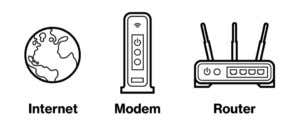
Do You Need a Modem and a Router for Internet with a New ISP?
You have questions, we have answers
When you sign up for new internet service, you may be offered a modem and a router or one device that does both jobs. Do you really need to get […]

Network Adapter Not Working? 12 Things to Try
We'll get to the bottom of the problem
If your network adapter doesn’t want to, well, network anymore, then you have several things you can try to get it working again. Whether it’s WiFi or Ethernet, these troubleshooting […]

Edge Computing Vs. Cloud Computing and Why It Matters
Essential tools in any Geek's arsenal
With distributed computing gaining popularity, terms like cloud computing and edge computing are becoming increasingly common. These aren’t just meaningless buzzwords to spark interest in a trend, but existing technologies […]

How To Network Two Computers Together Running Windows 11/10
Via cable, LAN or even USB
When you have multiple machines at your work desk, seamless file sharing can make work easier. Connecting two computers wirelessly is easy, but a wired connection offers better speed. Transferring […]

What To Do With an Old Router: 8 Great Ideas
Besides turning it into a doorstop
If you’ve upgraded to a newer router and the old one isn’t broken, is there something useful you can still do with the old device? As it turns out, the […]


What Is 192.168.0.1, and Why Is It The Default IP Address for Most Routers?
It's complicated but here's the basic rundown
The IP address 192.168.0.1 is the most common address to access and configure wireless routers from a web browser. It’s a default address because specific IP address ranges are reserved […]
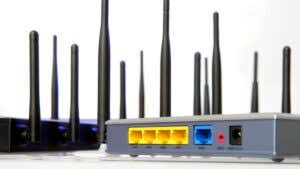
Access Point vs. Router: What Are the Differences?
Plus how they are different from a modem
These days everyone has to wire up their home with network technology, which means dealing with a long list of network jargon. Two basic networking terms are “access point” and […]

How to Fix “Download Failed: Network Error” on Chrome
Both simple and not so simple
Usually, Google Chrome has no trouble downloading files. However, sometimes you’ll run into an issue accompanied by the message “download failed: network error.” Thankfully, there are a few simple ways […]

How to Connect to Only 2.4GHz or 5GHz Wi-Fi Band (Prevent Switching)
For whatever reason you want to
Most modern routers these days support two Wi-Fi frequency bands. The first uses a 2.4GHz signal frequency. This frequency is great for penetrating walls and getting strong signals at greater […]

How to Find the Best Wi-Fi Channel on Windows, Mac and Linux
Automatically have the strongest connection possible
If you’re experiencing frequent connection drops or not getting the speeds you expect, your router may be using a congested Wi-Fi channel. A crowded channel doesn’t allow the Wi-Fi signals […]

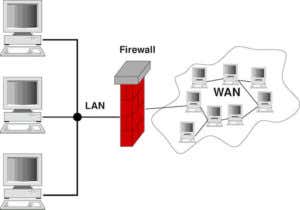
What is a Firewall and What’s Its Purpose?
Plus we'll tell you when it was first used
Whether on your own system or in crime dramas with a cybersecurity element, you’ve no doubt heard the term “firewall.” Your firewall is an important part of your computer’s security […]


How to Change Your Wi-Fi Channel (And Improve Performance)
Plus how to know if you should
Are you finding your Wi-Fi slower and dropping connections lately? Chances are your Wi-Fi router is broadcasting on the same channel as someone else, or maybe several people. Just like […]


What Is My Raspberry Pi’s IP Address?
How to find with or without display
Every device on a network has an Internet Protocol or IP address. The IP address is how you identify a specific device on your network among all the others, just […]
