

Windows XP Articles









 Dec 9th, 2021 by
What is Screen Tearing and How to Prevent It?
Sorry, it can't be fixed with tape
Screen tearing is a common problem that occurs in video displays. In technical terms, it takes place when the display shows images from multiple frames at once. But there’s a […]


The Most Common Video Formats and Codecs Explained
We went down the rabbit hole for you
Digital video is all around us. Whether it’s a disc, a streaming service, or a file on your computer, every video has a specific format. Understanding common video formats is […]


Fix “You need permission to perform this action” Error
One very annoying Windows problem
Microsoft offers several ways of preventing your files or data from being deleted, renamed or modified in Windows to ensure that your information doesn’t get into the wrong hands. However, […]


How To Take a Screenshot On Chromebook
Similar to other laptops but different
If you just got a Chromebook, you’ve probably noticed that it’s a bit different from most laptops. One of these differences is the absence of the Print Screen (PrtSc) key […]

Join a Windows XP Computer to a Windows 7/8/10 Homegroup
Help older computers find and use it
Once you have setup a homegroup using Windows 7/8/10 on your network, the next step is to fine-tune it so that all the older computers can find each other. All […]

How to Add a Program to Startup in Windows XP
We'll show you 2 ways to do it
Want a specific program to run every time Windows starts? Maybe you created your own program or downloaded something off the Internet. Either way, it’s relatively simple to add a […]
Fix Missing or Corrupted Hidden Files and Folders Option in Windows
Some virus may try and hide themselves this way
By default, Windows Explorer does not display files with the Hidden attribute. However, there is an easy way of showing hidden files and folders in Windows. Hidden files and folders […]
Attach a VHD File in Windows XP
Mount without Virtual PC or Microsoft Virtual Server
If you also use Windows XP on another computer, you can transfer that VHD file to the XP computer and mount it without having to run Virtual PC or Microsoft […]
How to Install IIS and Configure a Web Server in XP
Good for quick and dirty alpha testing
Internet Information Services or more popularly known as IIS is a lightweight web server process included in the XP installer disc. IIS on XP is the ideal choice for testing […]
Device Manager Empty or Blank in Windows?
Either something's disabled or permissions are corrupt
I recently had a problem where I opened my Device Manager and found that is was blank! Nothing there! Just plain empty! It was very strange and it took me […]
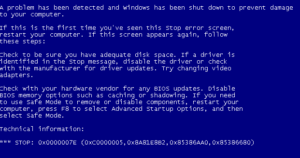
A Problem Has Been Detected and Windows Has Been Shutdown to Prevent Damages to Your Computer
Don't panic, but read this article
After installing Windows XP Service Pack 3 and rebooting the computer some people get this error: A problem has been detected and Windows has been shut down to prevent damage […]